How to get more Google reviews without breaking Google's rules
Ask every customer, share your Business Profile review link, and reply to what comes in. Here is how to do it within Google's review policies.
On this page (9 sections)
- 1Why reviews matter for local businesses
- 2What Google's review policy bans
- 3Allowed or not: common review tactics checked
- 4How to ask for reviews: a simple routine
- 5How to reply to reviews
- 6How to handle negative reviews
- 7What to avoid even if a competitor does it
- 8Reviews beyond Google Maps
- 9Sources
More Google reviews help in two ways: they are one of the signals Google uses for local ranking, and they are often the first thing a new customer reads. The difficulty is knowing how to get more Google reviews safely: many common tactics, such as offering a discount for a review, are against Google's rules and can get reviews removed or your profile restricted.
This post explains what Google allows, how to ask in a way that works, and how to reply to the reviews you receive.
Why reviews matter for local businesses
Reviews affect both where you appear and whether people choose you. Google lists reviews as part of prominence, one of its three local ranking factors, alongside relevance and distance.
Google's page on improving your local ranking says prominence is based on information such as links to your business and how many reviews you have. Customers care too. BrightLocal's Local Consumer Review Survey 2026, a survey of 1,002 US adults, found that 47% of consumers won't use a business with fewer than 20 reviews. The figures are from the US, not India, but the pattern of checking reviews before choosing a business is widespread.
What Google's review policy bans
Google allows you to ask for reviews, but it bans anything that makes reviews less genuine. The rules sit in Google's prohibited and restricted content policy for Maps.
The main restrictions are:
- No incentives. You may not offer money, discounts, free goods or services in exchange for a review, or for changing or removing a negative one.
- No review gating. You may not discourage negative reviews or selectively ask only customers you expect to be positive.
- No fake engagement. Reviews must reflect a genuine experience. Google's fake engagement policy covers reviews posted from multiple accounts by one person and unusual patterns aimed at manipulating a rating.
- No pressure. Do not require or pressure people to review while on your premises, and do not ask for specific content in the review.
- No conflicts of interest. Owners and staff should not review their own business or competitors.
Google says it uses people and machine learning to detect this content. Businesses that break the fake engagement rules can have reviews removed and may be temporarily blocked from receiving new ones.
Allowed or not: common review tactics checked
We took ten review tactics business owners often ask about and checked each against Google's policy pages. The method: find the policy line that applies to each tactic and record the verdict.
| Tactic | Allowed? | Why |
|---|---|---|
| Asking every customer for a review | Yes | Google allows asking for genuine reviews without incentives |
| Sharing your review link or QR code | Yes | Google provides the link and suggests where to share it |
| Thank-you email with the review link | Yes | Listed among Google's own suggestions |
| Discount or freebie for a review | No | Incentives are banned |
| Prize draw entry for leaving a review | No | Still an incentive in exchange for a review |
| Asking happy customers only | No | Selective solicitation is banned |
| "Rate us first" form that sends only 5-star replies to Google | No | Discourages negative reviews, a form of gating |
| Asking customers to mention specific words | No | Google says not to request specific content |
| Staff writing reviews for the business | No | Conflict of interest and not a genuine customer experience |
| Staff targets for a number of reviews | No | Google's policy bars asking staff to solicit a set number |
The pattern is clear: anything that changes who reviews you, or what they say, is a problem. Making it easier for every customer to share their honest view is fine.
Customer reviews
How to ask for reviews: a simple routine
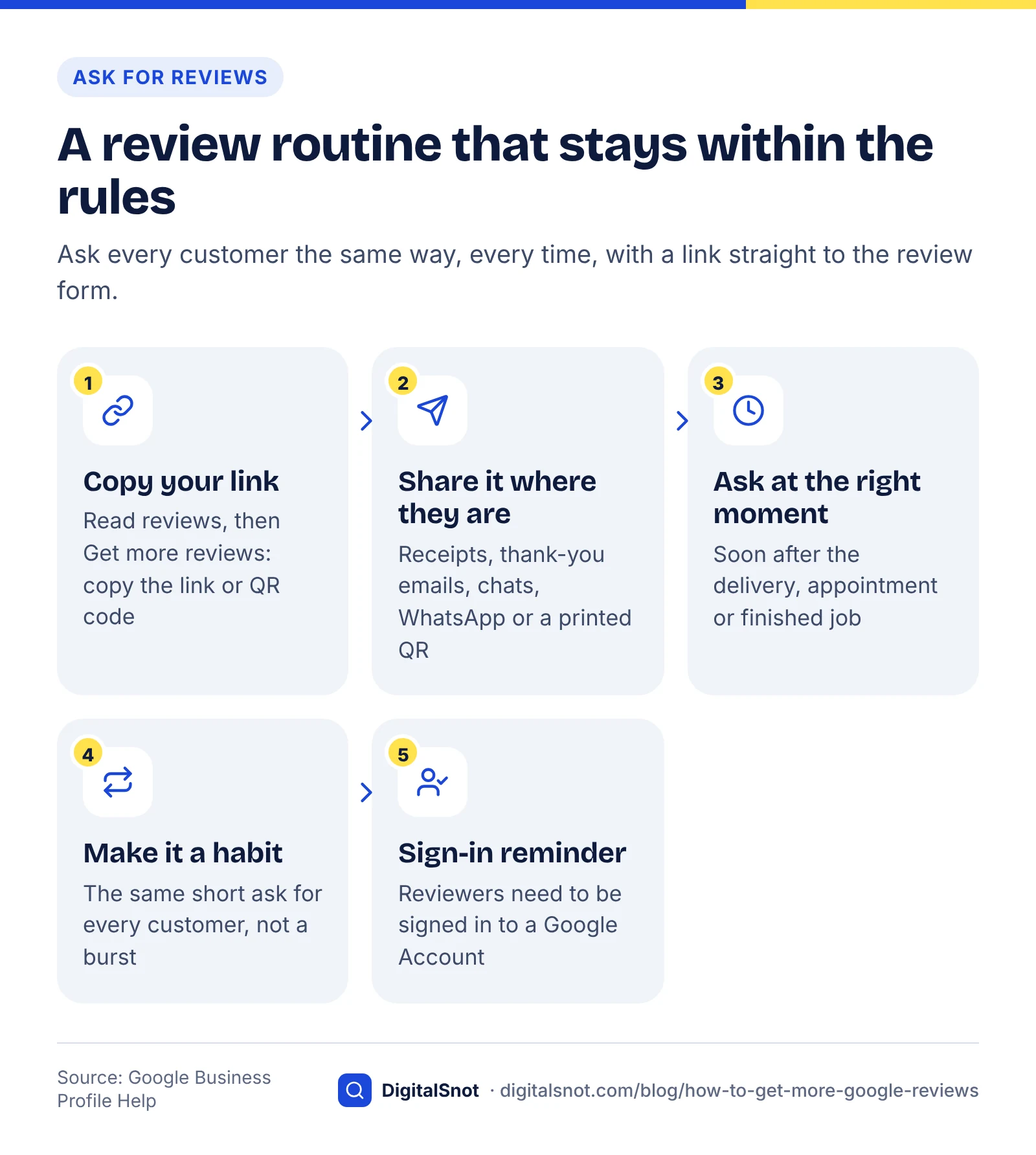
The most reliable way to get more reviews is to ask every customer, at the moment they are most satisfied, with a link that takes them straight to the review form.
Get more Google reviews, within the rules
1. Get your review link or QR code
Google's help page on creating a link or QR code to request reviews explains that you find it in your Business Profile under "Read reviews", then "Get more reviews". You can copy the short link, download the QR code, or share directly by email, WhatsApp or Facebook. Google notes that the QR code can only be generated in a computer browser, not on a phone.
2. Put it where customers already are
Google suggests adding the link to receipts and thank-you emails, at the end of a chat conversation, or printing the QR code for display in your shop. For service businesses, a WhatsApp message after the job is finished works well. If you only have your Place ID, or want a printable card, our free Google review link and QR generator builds both in your browser.
3. Ask at the right moment
Ask soon after the customer has received what they paid for: after the delivery, the appointment or the completed job. Keep it short, for example: "Thanks for choosing us. If you have a minute, we'd appreciate an honest review on Google."
4. Make it a habit, not a campaign
Ask every customer in the same way, every time. A steady flow of reviews looks natural and keeps your profile current; a sudden burst followed by silence does not.
Google also notes that customers need to be signed in to a Google Account to leave a review, so a gentle reminder in your message can help.
How to reply to reviews
Reply to as many reviews as you can, good and bad, keeping replies short, polite and specific. Customers notice: BrightLocal's 2026 survey found 80% of consumers are likely to use a business that responds to all of its reviews, and 81% expect a response within a week.
Google's guide to managing customer reviews recommends keeping replies short and relevant and avoiding promotional content. Replies are checked against Google's policies before they appear, and the reviewer is notified when you reply.
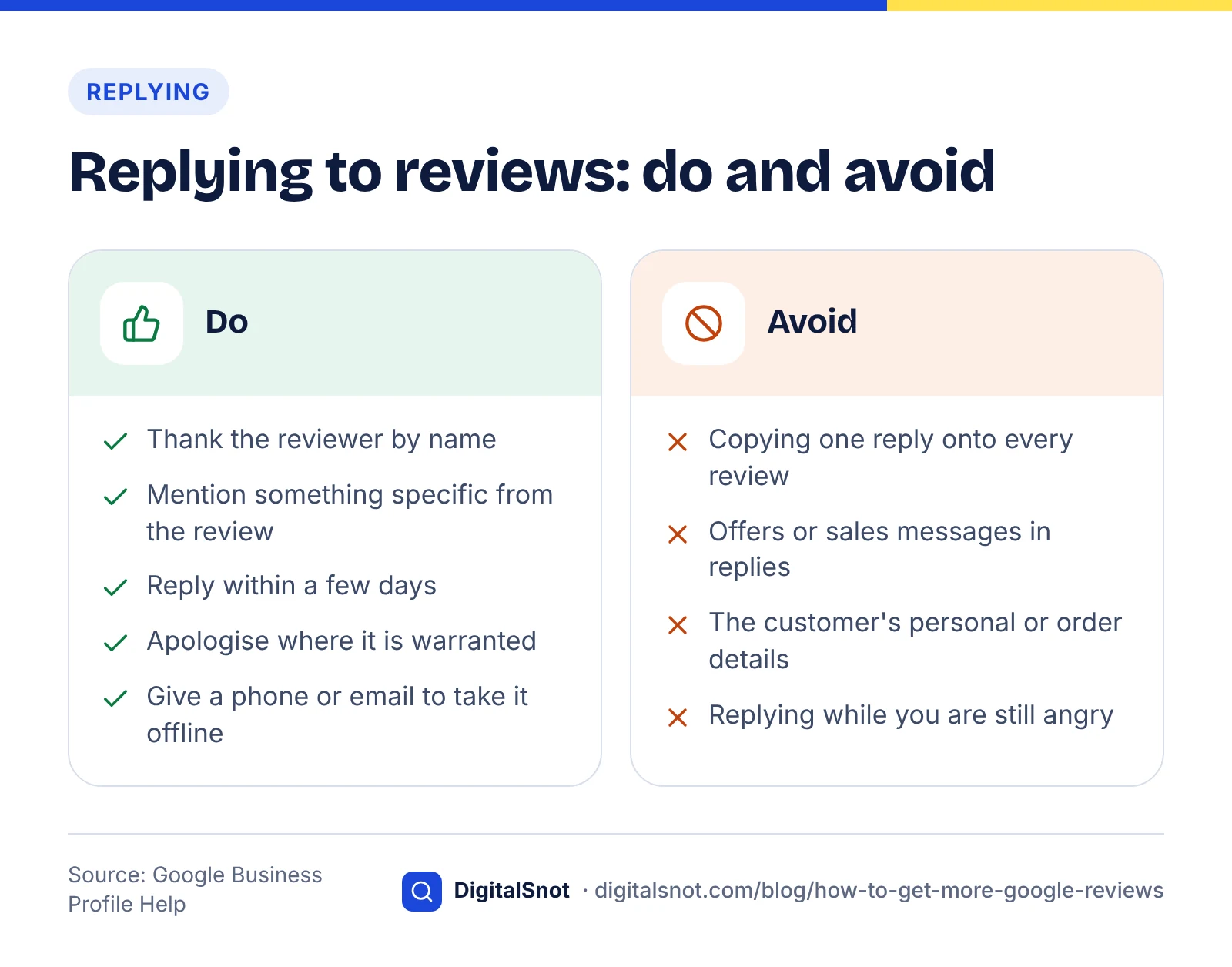
- Thank the reviewer by name and mention something specific from their review.
- Avoid copying the same reply onto every review.
- Do not add offers or sales messages to replies.
- Reply within a few days where you can.
Answer-ready page checklist
How to handle negative reviews
Respond calmly, acknowledge the problem, and move the conversation offline. A thoughtful reply to a negative review can reassure future customers more than a row of five-star ratings.
- Wait until you are calm. Never reply in anger.
- Acknowledge and apologise where it is warranted. Google's guidance suggests apologising where appropriate without accepting blame for things outside your control.
- Protect privacy. Never share the customer's personal information or order details in a public reply.
- Take it offline. Give a phone number or email address and invite them to get in touch so you can fix it.
- Fix the cause. If several reviews mention the same issue, treat it as feedback on your business, not just your profile.
If a review clearly breaks Google's policies, for example it is spam, off-topic or contains hateful content, you can report it from your Business Profile. A review being negative or unfair is not, on its own, a policy violation.
What to avoid even if a competitor does it
You may see competitors with suspicious bursts of five-star reviews. Copying them is a poor bet: Google can remove violating reviews and restrict profiles that break its fake engagement rules, which can undo months of genuine work.
Avoid review-buying services, "review exchange" groups and any tool that filters unhappy customers away from Google. If you are working with an agency, ask how they generate reviews; our guide on choosing an SEO agency lists other questions worth asking.
Reviews beyond Google Maps
Reviews also feed how AI assistants describe and recommend businesses, so a steady record of genuine reviews helps beyond the map results. Read our post on how ChatGPT recommends businesses and our guide to getting cited in AI search for more. For Google's AI Mode and Ask Maps, our local SEO for AI search guide covers the signals they lean on, reviews among them.
Reviews work best alongside a complete profile, so work through our Google Business Profile optimisation guide as well. If you want help building a review routine and managing your profile, see our local SEO service or get in touch.
Free tools in this article
By the numbers
- of consumers say they are likely to use a business that responds to all of its reviews (BrightLocal 2026, 1,002 US adults)
- 80%
- Source: BrightLocal
- of consumers expect a business to respond to their review within a week (BrightLocal 2026, US)
- 81%
- Source: BrightLocal
- of consumers won't use a business with fewer than 20 reviews (BrightLocal 2026, US)
- 47%
- Source: BrightLocal
Frequently asked questions
Is it against Google's rules to ask for reviews?
No. Google allows businesses to ask customers for reviews that reflect a genuine experience. What is not allowed is offering incentives, asking only customers you expect to be happy, discouraging negative reviews, pressuring customers on your premises or asking them to include specific content. Ask every customer in the same way and you stay within the rules.
How do I get a link for customers to leave a Google review?
Open your Business Profile, select "Read reviews" and then "Get more reviews". You can copy a short review link, download a QR code or share directly by email, WhatsApp or Facebook. Google notes that the QR code can only be generated in a computer browser, not on a mobile device.
Can I offer a discount in exchange for a Google review?
No. Google's policy bans offering money, discounts, free goods or services in exchange for posting a review, or for changing or removing a negative one. This includes prize draws for reviewers. Reviews prompted by incentives can be removed, and businesses that break the rules may face restrictions on their profile.
What is review gating?
Review gating means filtering customers so that only those likely to leave positive reviews are sent to Google, for example by asking for a private rating first and only sharing the review link with happy customers. Google's policy bans selectively soliciting positive reviews and discouraging negative ones, so review gating breaks the rules.
Should I reply to every Google review?
Replying to as many reviews as you can is a good habit. BrightLocal's 2026 US survey found 80% of consumers are likely to use a business that responds to all of its reviews. Keep replies short, polite and specific, avoid copy-and-paste responses, and leave out promotions or private customer details.
Can I get a negative Google review removed?
Only if it breaks Google's policies, for example spam, fake engagement, off-topic content, hate speech or a conflict of interest. You can report such reviews from your Business Profile. A review being negative or feeling unfair is not enough on its own, so the better response is usually a calm, helpful public reply.
Sources
Every figure and claim in this article comes from the sources below. We checked each one when writing and link to the original so you can read it yourself. Credit belongs to the authors and publishers listed. How we write and check our articles.
-
1
Tips to improve your local ranking on Google
Google Business Profile Help · Reviews count towards prominence, one of three local ranking factors.
-
2
Local Consumer Review Survey 2026
BrightLocal · 1,002 US adults: 47% fewer than 20 reviews, 80% replies to all, 81% within a week.
-
3
Prohibited and restricted content
Maps User Generated Content Policy Help · Bans incentives, selective solicitation, pressure and requested content.
-
4
Fake engagement
Maps User Generated Content Policy Help · Definition of fake engagement and enforcement against violating businesses.
-
5
Create a Google link or QR code to request reviews
Google Business Profile Help · Where to find the review link and QR code and where to share it.
-
6
Manage customer reviews
Google Business Profile Help · How to reply to reviews, moderation of replies and handling negative reviews.