Local SEO for home services: plumbers, electricians and AC repair
Set up a service-area Business Profile, honest emergency hours, WhatsApp and calls, service pages, reviews and photos of real jobs, and stay clear of fake locations.
On this page (9 sections)
When an AC stops working in May or a pipe bursts at night, people search on their phones and call one of the first businesses they see. Plumbers, electricians and AC technicians rarely have a shop customers walk into, so local SEO for home services is not quite the usual advice for shops.
This post shows you how to set up a Business Profile as a business that goes to customers, handle emergency and festival hours honestly, make calling and WhatsApp easy, plan service pages, and collect reviews and photos of real jobs, without the fake locations that get profiles suspended. The example is a made-up business, CoolBreeze AC Services, based in Whitefield, Bengaluru.
Set up as a service-area business
Google's page on service areas sorts businesses into three kinds:
- Storefront: customers come to you. Google says a business without permanent signage at its location is not eligible to show as a storefront.
- Service-area business: you go to customers. If you do not serve customers at your address, Google says to remove it from the profile and set service areas instead.
- Hybrid: customers come to you and you also visit them, such as an electrical shop that also sends electricians out. You can show the address and add service areas.

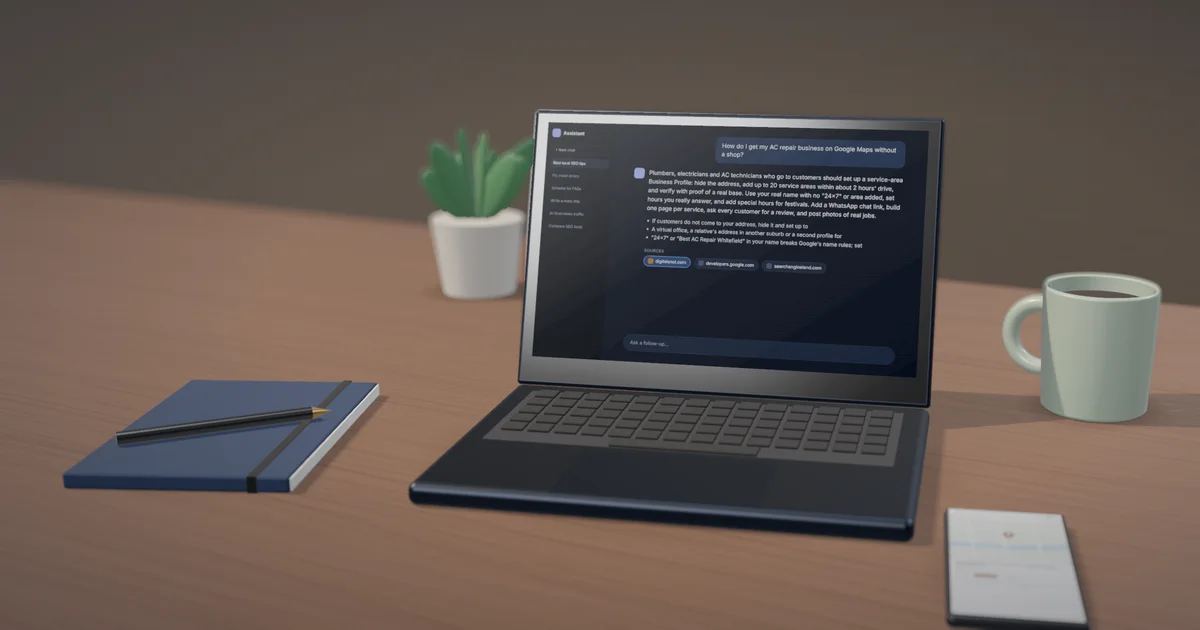
You can add up to 20 service areas, by city, PIN code or area, not as a radius. Google says the overall area should be no more than about 2 hours' drive from where you are based. CoolBreeze works from the owner's home in Hoodi, so the address stays hidden, and the service areas are Whitefield, Hoodi, Mahadevapura, Marathahalli, Brookefield, KR Puram, Varthur and the other areas its technicians really reach.
Google's guidelines for representing your business add the rules that matter most here:
- A service-area business cannot list a virtual office unless that office is staffed during business hours.
- The name must be your real-world name. Google lists business hours information, such as "Open 24 hours", among the things a name must not include, along with service and location details. "CoolBreeze AC Services" is fine. "CoolBreeze 24x7 AC Repair Whitefield" is not.
- Use a local number rather than a central call centre number wherever you can.
Google's page on duplicate profiles adds that you can have only one profile per business, and that you should not create separate profiles for different services. One profile for plumbing and another for "water tank cleaning" is a duplicate, not extra reach.
Verify with proof of a real base
Google decides which verification methods you are offered. If you are offered a video, Google's page on verifying with a video recording asks for a live recording on your phone, in one unedited take of at least 30 seconds, that shows:
- where you are based, using street signs or landmarks near your base;
- that the business exists, such as your tools, equipment, branded uniform or a branded van;
- that you manage it, such as opening your branded van, or a business document such as an invoice or utility bill with the same name as the profile.
Plan the video before you start: walk from the street sign to your door, show the van and its branding, open it, and show an invoice or utility bill in the business name. Keep bank details and ID numbers out of the shot.
Emergency hours, festival hours and calls
Google's tips on local ranking ask you to keep your hours accurate, and a customer with water on the floor at 11 pm will remember if you did not answer.
- Regular hours. Google's page on editing your hours lets you choose 24 hours for a day. Use it only for days someone really answers the phone at night.
- Special hours. Google's page on special hours says they show only when your regular hours are set, and suggests confirming your hours for official holidays even when they do not change. Set them for Diwali, Holi and other festivals.
- Longer breaks. For a closure of 7 days or more, or of unknown length, Google says to mark the business temporarily closed instead.
Make calling and chatting easy. Google's page on chat from your Business Profile lets a verified profile add a WhatsApp link or a number that receives texts, under Edit profile, Contact, then Chat. It is offered in some regions only, and if you add both, customers see only the text option.
Make the link in our WhatsApp Link & QR Generator. It builds a click-to-chat link in the format from WhatsApp's page on click to chat, with a first message already typed, such as "Hi, I need AC service in Whitefield", plus a QR code for your van and invoices and a chat button for your website. Use a different first message on each poster or ad, and you can see which one brought the chat.
When you cannot reply, WhatsApp's page on away messages lets you answer automatically outside business hours. Say when you will reply and give a number for emergencies. For bookings, our Appointment Reminder Templates write booking confirmed, reminder, running late, rescheduled and follow-up messages for WhatsApp, SMS or email in English, Hinglish or Hindi. "Running late" alone saves a lot of angry calls. The tool does not send anything; you copy each message or save it as a quick reply.
Service pages that win the call
People search for the job, not the trade: "AC gas refill", "geyser repair", "MCB keeps tripping". Give each main service its own page with what is included, a price range and what changes it, the questions customers ask before booking, photos of your own work and the areas you cover.
Area pages are where many trade websites go wrong. A page for "AC repair in Whitefield", another for "AC repair in Marathahalli" and twenty more with only the area name changed fit what Google's spam policies call doorway abuse, which includes "pages targeted at specific regions or cities that funnel users to one page".
Our Service Area Page Planner sorts this out. Enter your services and areas, and tick what is true for each area: a branch there, work you can show, or different prices, timings or team. It gives a page plan with one page per service, an area page only where you have something real to say, and one "areas we serve" page for the rest, with titles, web addresses and what each page needs, as a CSV. For CoolBreeze, Whitefield gets its own page because most of its jobs and photos are there; the other areas go on the areas page.

For the full method, read our guide to location pages without doorway pages.
Reviews and photos of real jobs
A home service business has a natural moment for a review: the AC is cold again or the light works. Send a thank-you on WhatsApp with your review link that evening. Ask every customer, including the ones whose job did not go smoothly.
Google's prohibited content policy does not allow offering payment, discounts or free services for reviews, so no "₹100 off your next service" for a review. It also does not allow asking only happy customers or discouraging negative reviews, and Google's page on rating manipulation covers pressuring customers for particular ratings or reviews. Leave the link and let the customer choose; do not stand over them while they write.
Reply to every review. Our Google Review Reply Templates give three replies, short, standard and personal, for each star rating and topic, such as waiting time or price, in English, Hinglish or Hindi. Replies to negative reviews apologise and move the problem to a phone call. Edit the one you pick so it mentions the job, then copy it into your profile. Our post on replying to Google reviews covers the hard cases.
Photos of real work help customers trust you. Google's page on business photos asks for photos that depict reality, without significant alterations, excessive filters or AI changes. Take before-and-after shots of the job, your team in uniform and the van. Our suggestion: ask the customer first, and keep their face, flat number and anything private out of the frame.

Fake locations: the shortcut that costs the profile
It can be tempting to add a second "office" at a relative's address to show in another part of the city, or to rent a virtual office in a better area. Google's guidelines allow neither, and a suspended profile can cost you far more calls than the extra area would bring. If that has already happened, read what to check before you ask for reinstatement.

Mistakes to avoid
- Showing your home address when customers never come to it.
- Setting 24 hours for every day when nobody answers at night.
- One profile per service, or per area.
- Stock photos of someone else's AC unit or switchboard.
- A discount on the next visit in return for a review.
Your next step
This week, hide your address if customers do not come to you, check your service areas, set festival hours and add a WhatsApp chat link. Then plan your service pages with the Service Area Page Planner. For more on what puts a rival above you, read why your competitor shows above you on Google Maps. If you would like it done for you, see our local SEO service or start with a free SEO audit.
Free tools in this article
- WhatsApp Link & QR Generator A wa.me chat link with a ready message, a printable QR code and a website chat button.
- Appointment Reminder Templates Booking, reminder, running late, missed and review messages for WhatsApp, SMS and email, in three languages.
- Service Area Page Planner Turn your services and areas into a page plan, and see which areas to list instead.
- Google Review Reply Templates Replies to good and bad Google reviews in English, Hinglish and Hindi, by rating and topic.
Frequently asked questions
Should a plumber or electrician show their address on Google?
Not if customers do not come to it. Google says a business that does not serve customers at its address should remove the address and set service areas instead. A hybrid business, such as a shop that also sends electricians out, can show the address and add service areas.
How many service areas can I add to my Google Business Profile?
Up to 20, set by city, PIN code or area rather than a radius. Google says the overall area should be no more than about 2 hours' drive from where your business is based. Your website can still list every area you cover.
Can I add "24x7" to my business name on Google?
No. Google's guidelines list business hours information, such as "Open 24 hours", among things a business name must not include. Set your opening hours instead, and choose 24 hours only for days someone really answers.
Can I make separate Business Profiles for plumbing and electrical work?
Not for one business. Google allows only one profile per business and says not to create separate profiles for different services. List each service on the one profile and give each its own page on your website.
How do I add WhatsApp to my Google Business Profile?
Where it is offered, open Edit profile, then Contact, then Chat, choose WhatsApp and paste your click-to-chat link. The option is available in some regions only, and if you add both WhatsApp and a text number, customers see only the text option.
What should I show in a verification video if I have no shop?
Google asks for a live, unedited recording of at least 30 seconds showing where you are based, such as nearby street signs, that the business exists, such as tools or a branded van, and that you manage it, such as opening the van or a business document with the same name.
Sources
Every figure and claim in this article comes from the sources below. We checked each one when writing and link to the original so you can read it yourself. Credit belongs to the authors and publishers listed. How we write and check our articles.
-
1
Manage your service areas for service-area & hybrid businesses
Google Business Profile Help · Storefront, service-area and hybrid; remove the address; up to 20 areas, not a radius; about 2 hours' drive; signage for storefronts.
-
2
Guidelines for representing your business on Google
Google Business Profile Help · Virtual office rule for service-area businesses; no hours, service or location details in the name; local phone number.
-
3
Resolve duplicate profiles & ownership issues
Google Business Profile Help · One profile per business; no separate profiles for different services.
-
4
Verify your business on Google
Google Business Profile Help · Google decides which verification methods are offered.
-
5
Verify your business with a video recording
Google Business Profile Help · Live, unedited, at least 30 seconds: location, proof the business exists, proof of management.
-
6
Tips to improve your local ranking on Google
Google Business Profile Help · Keep your hours accurate.
-
7
Edit your business hours
Google Business Profile Help · Choosing 24 hours for a day.
-
8
How to set Special hours
Google Business Profile Help · Shown only with regular hours set; confirm holiday hours; temporarily closed for 7 days or more.
-
9
Chat with customers from your Business Profile
Google Business Profile Help · WhatsApp or text chat under Edit profile, Contact, Chat; some regions only; text shown if both are added.
-
10
How to use click to chat
WhatsApp Help Centre · The wa.me link format with a pre-filled message.
-
11
How to use away messages
WhatsApp Help Centre · Automatic replies always, on a schedule or outside business hours.
-
12
Spam policies for Google web search
Google Search Central · Doorway abuse, including pages targeted at specific regions or cities that funnel users to one page.
-
13
Prohibited & restricted content
Maps User Generated Content Policy Help · No incentives, selective asking, discouraging negative reviews or pressure.
-
14
Rating manipulation
Maps User Generated Content Policy Help · Covers soliciting fake reviews and coercing or pressuring customers for specific ratings or reviews.
-
15
Tips for business-specific photos on your Business Profile
Google Business Profile Help · Photos should depict reality, without significant alterations, excessive filters or AI.