YouTube copyright claim vs strike: what each means and what to do
A Content ID claim and a copyright strike are different things. See what each does to your video and channel, your options in order, and how to choose music for business videos.
On this page (9 sections)
- 1Claim or strike: the difference
- 2Got a Content ID claim? Your options in order
- 3Got a copyright strike? Your options in order
- 4A worked example: FitZone Gym, Baner
- 5Music for business videos
- 6Never re-upload to dodge a claim or strike
- 7Claims, strikes and earning from your channel
- 8Your next step
- 9Sources
An email from YouTube with the word "copyright" in it is alarming, but it can mean two very different things. A Content ID claim is common and usually affects one video. A copyright strike is a legal matter that counts against your whole channel. This post on the YouTube copyright claim vs strike difference explains what each one does, the options YouTube gives you in a sensible order, how a made-up gym in Pune handled both in the same month, and how to choose music for business videos so it does not happen again. It is general information from YouTube Help, not legal advice.
Claim or strike: the difference
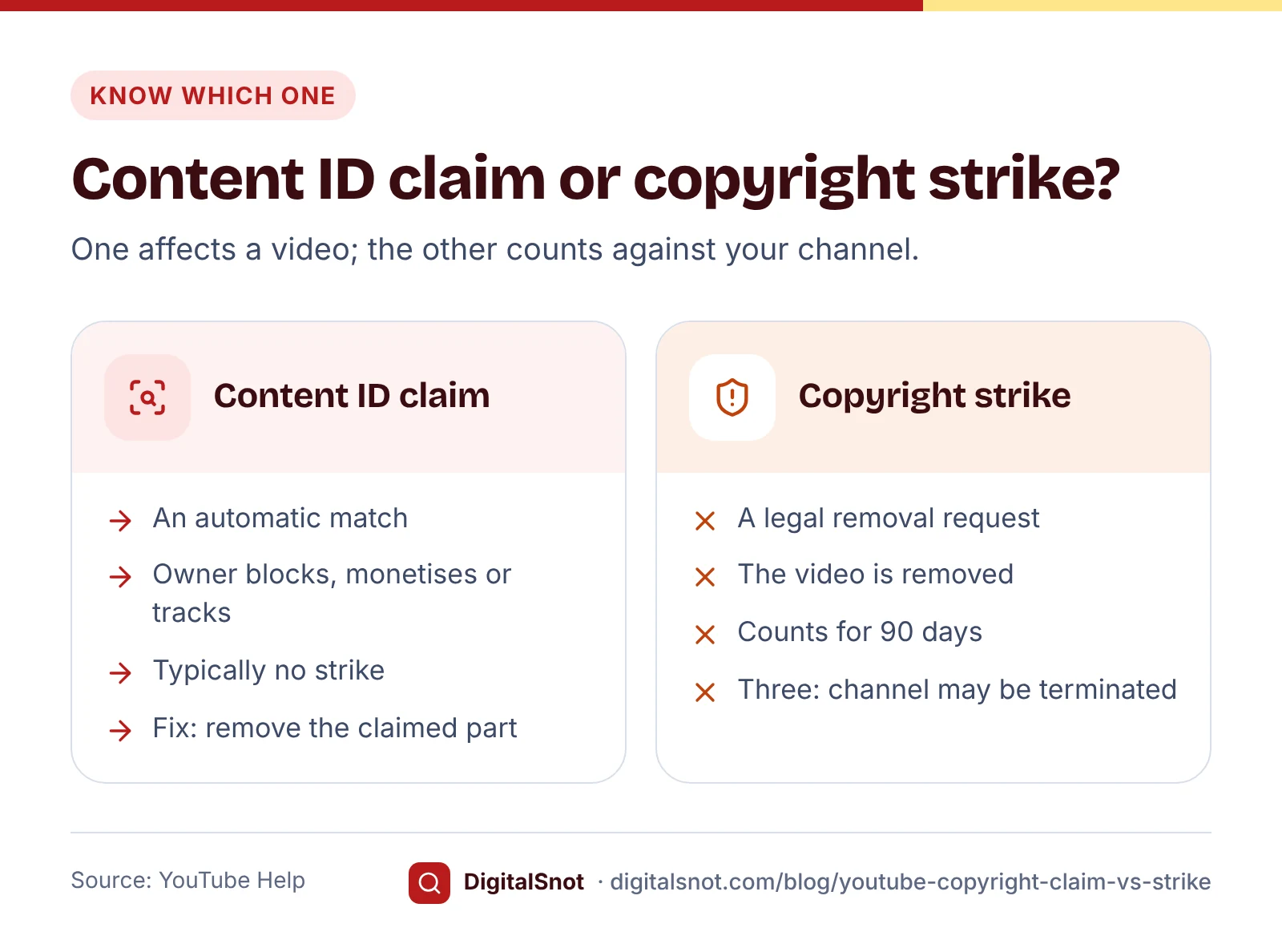
YouTube's page on Content ID claims explains that a claim is raised when your video matches material a copyright owner has given YouTube. The owner then chooses what happens: block the video from being viewed, monetise it by running ads on it, sometimes sharing the revenue with you, or track its viewing statistics. YouTube says a Content ID claim typically does not result in a copyright strike, and that claims affect the video but usually not your channel.
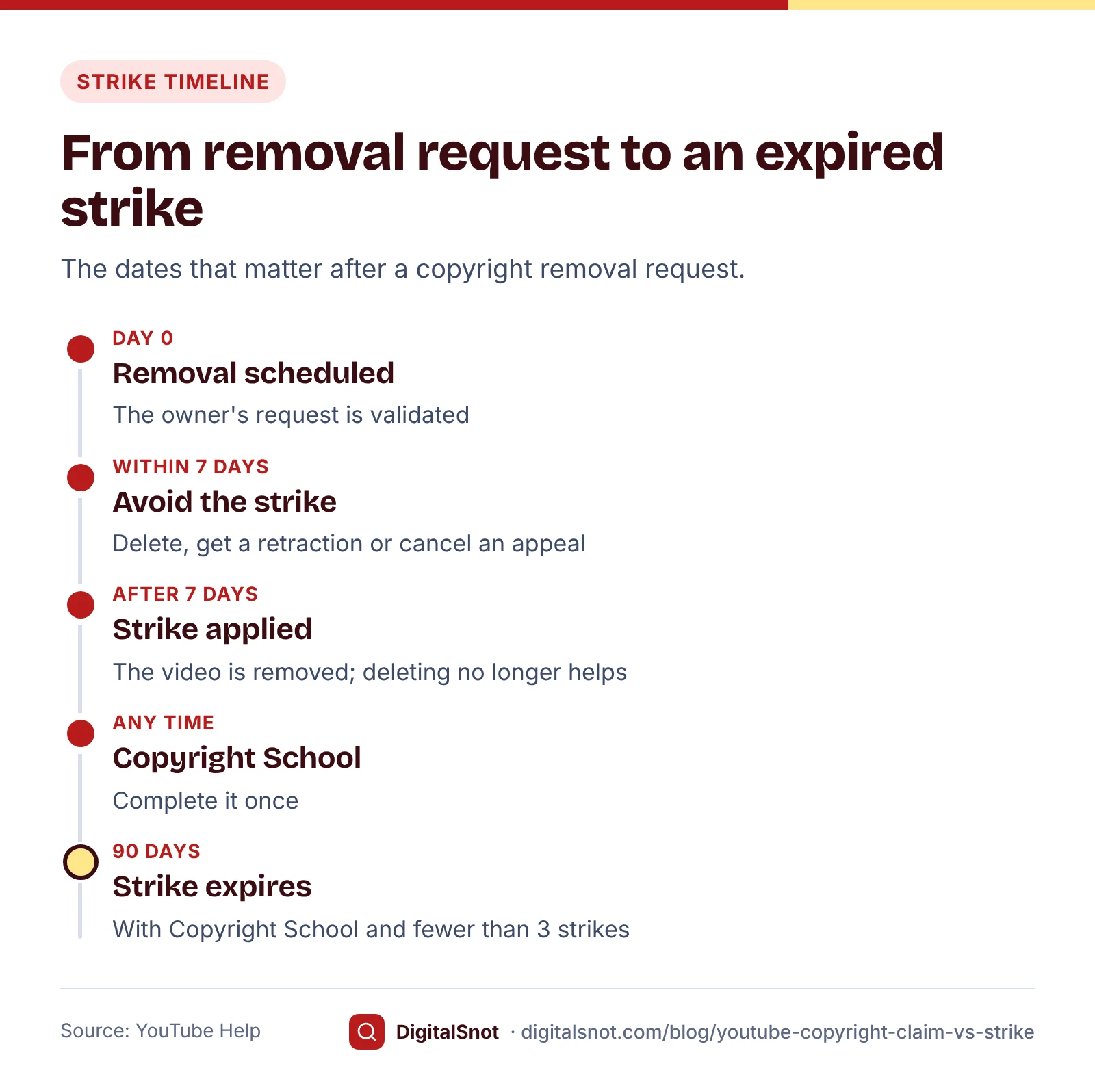
A copyright strike is different. According to YouTube's copyright strike basics, it follows a legal request from a copyright owner to remove your video. The video is taken down and the strike goes on your channel. It expires after 90 days if you complete Copyright School and the channel has fewer than three copyright strikes. With three, your account and any channels linked to it are subject to termination, all the videos you uploaded are removed, and you cannot create new channels. If the video was a live stream, live streaming is also restricted for 7 days, or 14 days with another copyright strike.
| Content ID claim | Copyright strike | |
|---|---|---|
| Starts with | An automatic match with a copyright owner's material | A legal removal request from a copyright owner |
| Your video | Blocked, monetised for the owner, or tracked | Removed from YouTube |
| Your channel | Usually not affected | A strike for 90 days; three make it subject to termination |
| How it ends | You remove the claimed part, the claim is released, or a dispute succeeds | It expires after Copyright School, the claimant retracts it, or a counter notification succeeds |
Got a Content ID claim? Your options in order
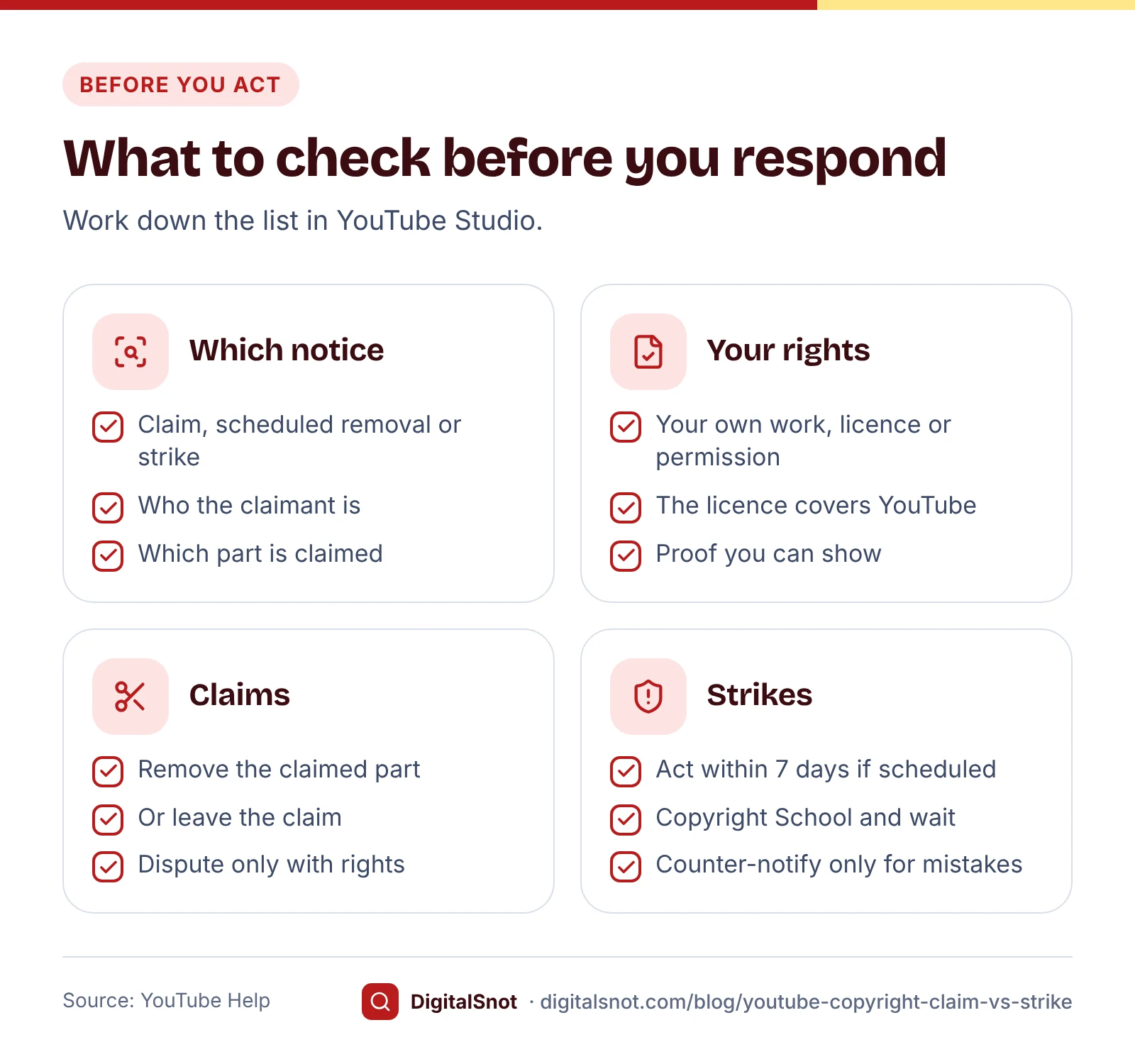
Start with one question: is the music or footage yours, licensed to you, or used with the owner's permission? The answer decides which options are safe.
- Find out where it came from. Look for the licence, invoice or email that lets you use it, and check what the licence allows. YouTube's Audio Library page says only music and sound effects from the Audio Library are known to YouTube to be copyright-safe.
- Remove the claimed part. If the music is not yours, YouTube Studio lets you remove claimed content: trim out the segment, replace the song with an Audio Library track, or erase the song while keeping speech. Once all the claimed content is gone, the claim is removed. You do not need to upload the video again.
- Leave the claim. If the claim is right and the owner monetises or tracks the video, it usually stays up. The ads on it earn for the owner, sometimes with a share for you.
- Dispute it, but only with the rights. You can dispute a claim when you own the material, have a licence or permission, or the match is a mistake. The claimant has 30 days to respond, and if they do not, the claim expires. Giving credit, owning a copy of the song or choosing not to monetise are not valid reasons. A dispute without a valid reason can lead the owner to request removal of the video, and a valid removal request brings a copyright strike.
- Appeal if the dispute is rejected. You may be able to appeal the claim, which needs advanced features; the claimant then has 7 days to respond. If the appeal is rejected, the claimant can request removal of the video.
If you are in the YouTube Partner Program and both you and the claimant want the video monetised, YouTube's page on monetisation during disputes says ads keep running and the revenue is held until the dispute is decided. Dispute within 5 days of the claim, and the revenue is held from the day the claim was placed.
Got a copyright strike? Your options in order
First check the status in YouTube Studio. If the removal is scheduled rather than done, YouTube's page on copyright removal requests gives you 7 days to avoid the strike: delete the video, ask the claimant to retract, or, if the request followed a rejected Content ID appeal, cancel that appeal, in which case the claim stays on the video. After the 7 days, deleting the video does not remove the strike.
Once a strike is applied, you have three routes:
- Complete Copyright School and wait. If the strike is right, this is the usual route. The strike expires after 90 days, as long as the channel has fewer than three. You only need to complete Copyright School once.
- Ask for a retraction. Contact the claimant and ask them to retract the removal request, for example after you agree a licence or show them yours. Only the claimant can retract it.
- Submit a counter notification, only if it was a mistake. A counter notification is for videos removed by mistake or misidentification, including copyright exceptions such as fair use or fair dealing. It starts a legal process, and YouTube shares it, with your name, address and phone number, with the claimant. If the claimant does not show within 10 US business days that they have taken legal action, the video may be reinstated. Talk to a lawyer before you file one.
YouTube's fair use page makes the point that only courts decide fair use. Crediting the owner, or writing "no copyright infringement intended" in the description, does not make a video fair use.
A worked example: FitZone Gym, Baner
FitZone Gym, a made-up gym in Baner, Pune, posts workout videos to bring in new members. Two things happened in one month.
First, a 12-minute strength workout got a Content ID claim for a film song playing on the gym's speakers in the background, and the owner chose to monetise it. The gym had no licence to use the song in a video. In our YouTube Copyright and Strike Helper, the manager chose "Content ID claim" and answered no to owning the music and no to having permission. The helper put "Remove the claimed part" first and showed "Dispute the claim" under "Only if you are sure". He replaced the song with an Audio Library track in YouTube Studio, and the claim was removed.
Second, a junior trainer uploaded a 40-second clip cut from another fitness channel's video. That channel's owner sent a removal request, scheduled to take effect after 7 days. With "Copyright takedown or strike" chosen and the removal marked as scheduled, the helper showed "Act within the 7 days" first. The gym deleted the clip in time, so no strike was applied, and the owner set a simple rule for the team: film only what you shoot yourselves, and use only Audio Library music.
The helper runs in your browser, works out the dates that follow from a strike, and links each option to its YouTube Help page. It cannot see your channel or tell who owns a song, and it is not legal advice.
Music for business videos
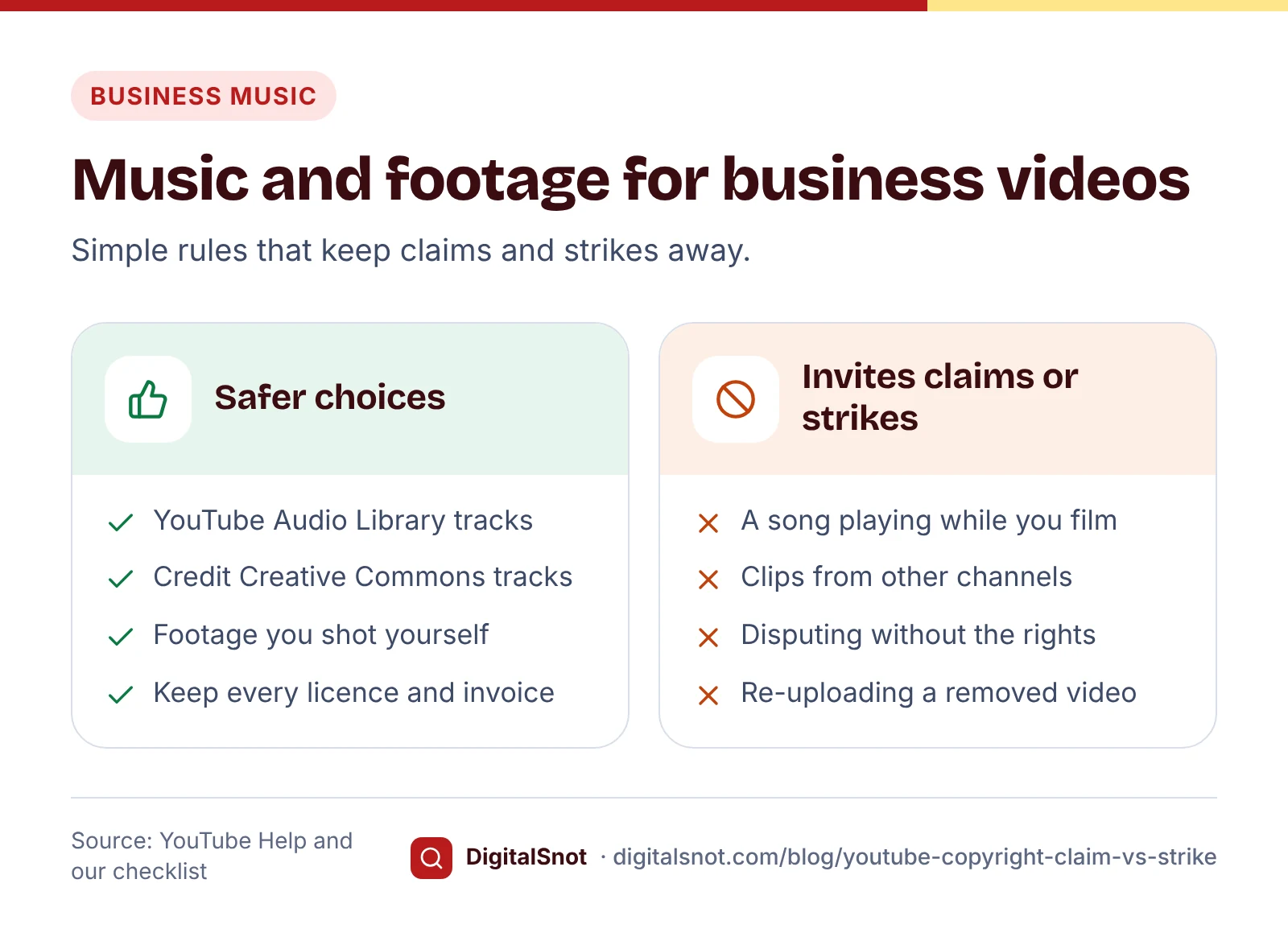
YouTube's Audio Library is the simplest answer for most businesses. YouTube says its music and sound effects are copyright-safe and will not be claimed through Content ID, and that Partner Program members can monetise videos that use them. Some tracks are under a Creative Commons licence and need a credit to the artist in the description; the library shows which ones.
- Background music counts. Our suggestion: film without a song playing in the shop or gym, and add a library track when you edit.
- Read any other licence. YouTube vouches only for the Audio Library, so check that a "royalty-free" track from elsewhere allows use on YouTube, and keep the licence.
- Shorts for a business. YouTube's page on common upload errors says agreements with some music partners restrict music in Shorts to personal, non-commercial use, so channels that post for commercial purposes may see errors with sounds from the Shorts audio library. Royalty-free tracks from the YouTube Audio Library are one of the fixes it lists.
- Keep proof. Our suggestion: save the licence or invoice for each track in a folder named after the video, so you can show it if a claim turns out to be a mistake.
Never re-upload to dodge a claim or strike
When a video comes down, it is tempting to upload it again, or to post it on a second channel. Both make things worse.
- Deleting a video after the strike is applied does not remove the strike.
- YouTube's additional policies treat posting content that was previously removed for violating its Terms of Service as circumvention. The content may be removed and the channel penalised or terminated, and this can extend to other channels you own.
- After a termination, YouTube's page on channel terminations says you may not use, own or create other YouTube channels.
Claims, strikes and earning from your channel
Copyright strikes are separate from Community Guidelines strikes, which come from breaking YouTube's content rules. YouTube's Community Guidelines strike basics say a first violation usually brings a warning, and a first strike stops uploads and other features for a week. To apply for the Partner Program, a channel needs no active Community Guidelines strikes, as our post on YouTube Partner Program eligibility explains.
Permission does not settle everything either. YouTube's channel monetisation policies treat reused content, such as clips from other channels without significant original commentary, as not eligible for monetisation even if the original creator gave permission. Before you apply, tick through our YouTube Monetisation Policy Checklist. It covers reused and inauthentic content, the advertiser-friendly guidelines and copyright and Community Guidelines standing, with YouTube's guidance for compilations, reuploads and film and TV clips. Its score is our measure of how much you have ticked, not a YouTube rating.
Your next step
If you have a claim or strike now, open the Copyright and Strike Helper, choose what you received and answer its questions before you click anything in YouTube Studio. Then write down a music and footage rule for everyone who films for you, and keep the licences in one place. If your channel is new, our post on your first 10 YouTube videos as a local business helps you plan videos built from your own footage. All our YouTube tools run in your browser and none of them signs in to your channel. If you are unsure what to do, talk to us, and for a counter notification, talk to a lawyer.
Free tools in this article
Frequently asked questions
Is a Content ID claim the same as a copyright strike?
No. A Content ID claim is an automatic match, and the copyright owner chooses to block, monetise or track the video; YouTube says it typically does not result in a strike. A copyright strike follows a legal removal request, removes the video and counts against your channel.
How long does a YouTube copyright strike last?
It expires after 90 days if you complete Copyright School and the channel has fewer than three copyright strikes. You only need to complete Copyright School once. The claimant can also retract it, or a counter notification can resolve it if the removal was a mistake.
Should I dispute a Content ID claim?
Only if you own the material, have a licence or permission, or the match is a mistake. Credit to the artist, owning a copy or not monetising are not valid reasons, and a dispute without a valid reason can lead to a removal request and a copyright strike.
What happens with three copyright strikes?
Your account and any linked channels are subject to termination, all the videos you uploaded are removed, and you cannot create new channels. Strikes expire after 90 days with Copyright School, so they only add up if they come close together.
Can I use a song if I credit the artist?
Crediting the artist does not give you the right to use the song, and YouTube does not accept it as a reason to dispute a claim. For business videos, use music from the YouTube Audio Library, which YouTube says is copyright-safe, or music you have a licence for.
Can I delete the video and upload it again?
If a removal is scheduled, deleting the video within 7 days avoids the strike. After a strike is applied, deleting does not remove it. Uploading removed content again counts as circumvention under YouTube's policies and can get the channel penalised or terminated.
Sources
Every figure and claim in this article comes from the sources below. We checked each one when writing and link to the original so you can read it yourself. Credit belongs to the authors and publishers listed. How we write and check our articles.
-
1
Learn about Content ID claims
YouTube Help · Block, monetise or track; a claim typically does not result in a strike
-
2
Copyright strike basics
YouTube Help · Strikes follow removal requests, expire after 90 days with Copyright School, and three make a channel subject to termination
-
3
Remove claimed content from videos
YouTube Help · Trim, replace the song or erase it; the claim is removed once the content is gone
-
4
Dispute a Content ID claim
YouTube Help · Valid reasons, 30 days for the claimant, and the risk of a removal request
-
5
Appeal a Content ID claim
YouTube Help · Appeals need advanced features; the claimant has 7 days to respond
-
6
Monetization during Content ID disputes
YouTube Help · Revenue held during a dispute; within 5 days it is held from the claim date
-
7
About copyright removal requests
YouTube Help · Scheduled removals give 7 days to delete, ask for a retraction or cancel an appeal
-
8
Retract a copyright removal request
YouTube Help · Only the claimant can retract a removal request
-
9
Submit a copyright counter notification
YouTube Help · Only for mistakes; personal details shared with the claimant; 10 US business days
-
10
Fair use on YouTube
YouTube Help · Only courts decide fair use; disclaimers do not create it
-
11
Use music and sound effects from the Audio Library
YouTube Help · Copyright-safe, not claimed through Content ID, can be monetised; Creative Commons tracks need attribution
-
12
Common uploading errors
YouTube Help · Shorts audio library music limited to personal, non-commercial use by some music partners
-
13
Additional policies
YouTube Help · Posting previously removed content is circumvention
-
14
Channel or account terminations
YouTube Help · After termination you may not use, own or create other channels
-
15
Community Guidelines strike basics on YouTube
YouTube Help · Warnings, and a one-week restriction after a first strike
-
16
YouTube channel monetization policies
YouTube Help · Reused content is not eligible even with the creator's permission