Comporium webmail login: settings, limits and support
Where to sign in to Comporium Webmail, the settings for mail apps, the 75-day rule that archives unused accounts, the limits and how to reach 24/7 support.

On this page (11 sections)
- 1What Comporium Webmail is and who can still use it
- 2How to sign in to Comporium Webmail
- 3The 75-day rule: how to keep your Comporium email account
- 4Changing your Comporium email password
- 5Setting up Comporium email in a mail app
- 6Storage, junk mail and sending limits
- 7Comporium Webmail not working: what to check
- 8Staying safe from fake Comporium emails
- 9How to contact Comporium support
- 10Your next step
- 11Sources
The Comporium webmail login page is webmail.comporium.net: type it into your browser and sign in with your full email address and password, as Comporium's webmail help article explains. If that page will not load, Comporium gives login.comporium.net as a backup. Comporium has not issued new comporium.net addresses, or reactivated inactive ones, since 1 February 2022, and accounts are archived after 75 days without use. Support is open 24/7 on 888-403-2667. This is an independent guide: DigitalSnot is not part of Comporium, and we never ask for your password.
Below you will find the sign-in steps, the settings for mail apps on your phone or computer, the limits on storage and sending, what to check when mail stops working, and how to reach Comporium. Every rule links to Comporium's own pages, so you can check it there.
What Comporium Webmail is and who can still use it
Comporium is based in Rock Hill, South Carolina. Its About page says it serves York, Lancaster and Chester counties and parts of the Midlands in South Carolina, plus Transylvania County in North Carolina. Customers with an address ending in comporium.net read their mail in a browser through Comporium Webmail, or in a mail app.
The webmail is built on Zimbra: Comporium's article on reading your email on the web sends you to Zimbra's own help for how the screens work.
The key change came on 1 February 2022. From that date, Comporium's help centre says, it no longer issues new comporium.net email accounts or reactivates inactive accounts. It suggests a free provider such as Gmail.com or Mail.com instead. So if you already have a working comporium.net address, you can keep using it. If you never had one, or yours has gone inactive, you cannot get one now.
How to sign in to Comporium Webmail
Signing in takes a minute once you know the two details that trip people up: the address of the page and the format of your user name.
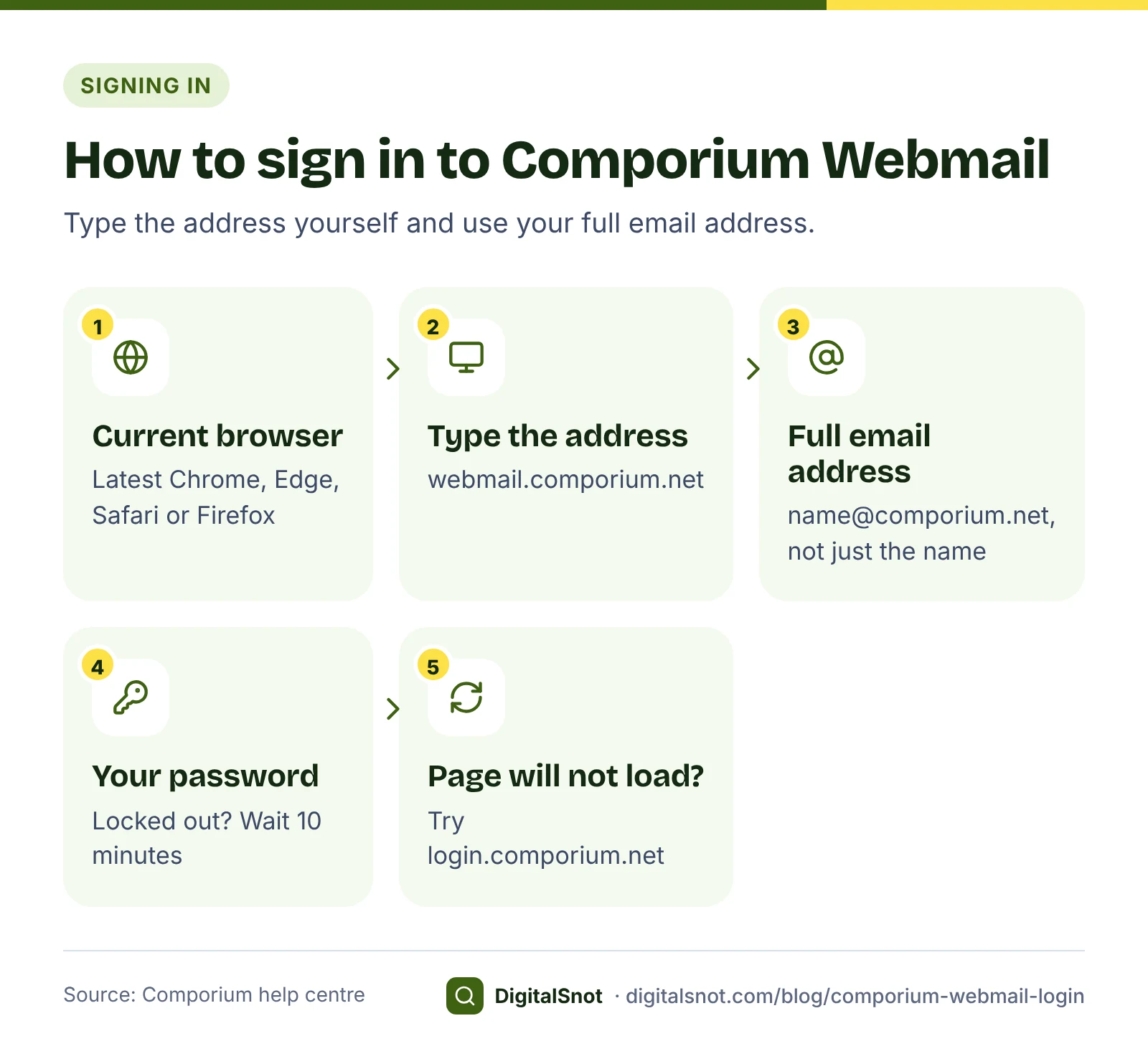
- Open a current browser. Comporium recommends the latest Chrome, Edge, Safari or Firefox.
- Type webmail.comporium.net into the address bar yourself, rather than following a link in an email.
- Enter your full email address as the user name, for example name@comporium.net, not only the part before the @.
- Enter your password and sign in.
- If the page will not load, try the backup page, login.comporium.net.
If you enter the wrong password too many times, the account is locked for 10 minutes, as Comporium's account troubleshooting article explains. Wait the full 10 minutes before you try again.
The 75-day rule: how to keep your Comporium email account
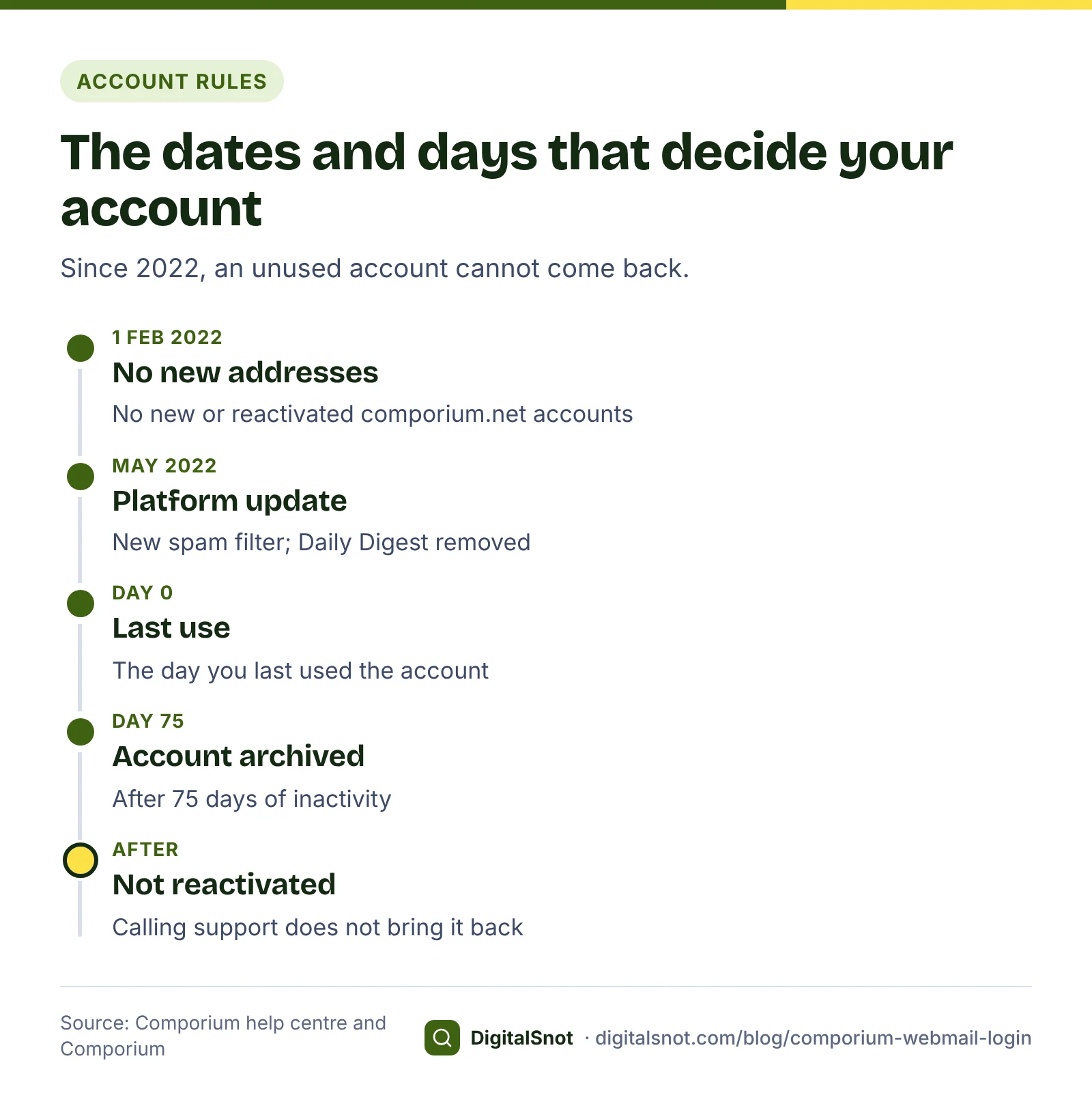
Comporium's help centre states that email accounts are archived after 75 days of inactivity. Inactive accounts are not reactivated, so calling support will not bring one back. For an address you have had for years, this is the rule to plan around.
Three habits keep you safe:
- Use it regularly. Sign in to webmail well inside 75 days, for example on the first of every month, and read or send a message.
- Keep your recovery details current. Comporium lets you add or update your email recovery information. Check it now, while you can still sign in.
- Keep a copy of your mail. You can export and save your emails to your computer. Do it before you stop using the address, and now and then for messages you cannot lose, such as receipts and contracts.
Take a made-up example. The owner of a café in Rock Hill (invented for this guide) has used a comporium.net address for catering orders for ten years. She sets a monthly calendar reminder to sign in to webmail, checks her recovery details once a year and exports the catering folder each quarter. If she ever moves the café's mail to a new address, the old messages are already saved.
Changing your Comporium email password
You change your email password in My Comporium, not in webmail. Comporium's password article gives the path: go to my.comporium.com/services, then choose Email, then Manage.
The new password must:
- be 12 to 127 characters long;
- include an upper case letter, a lower case letter and a number;
- not match your user name.
Then comes the step people forget. Changing the password in My Comporium does not update your mail apps. Open the mail app on each phone, tablet and computer that reads this address and type the new password there too. Until you do, that app keeps trying the old one.
Setting up Comporium email in a mail app
Comporium does not currently offer an email application for smart devices. Instead, you add your address to the mail app you already have. Comporium has setup guides for iPhone, Android, Apple Mail and Microsoft Mail, and its setup article also covers Microsoft Outlook and Mozilla Thunderbird.
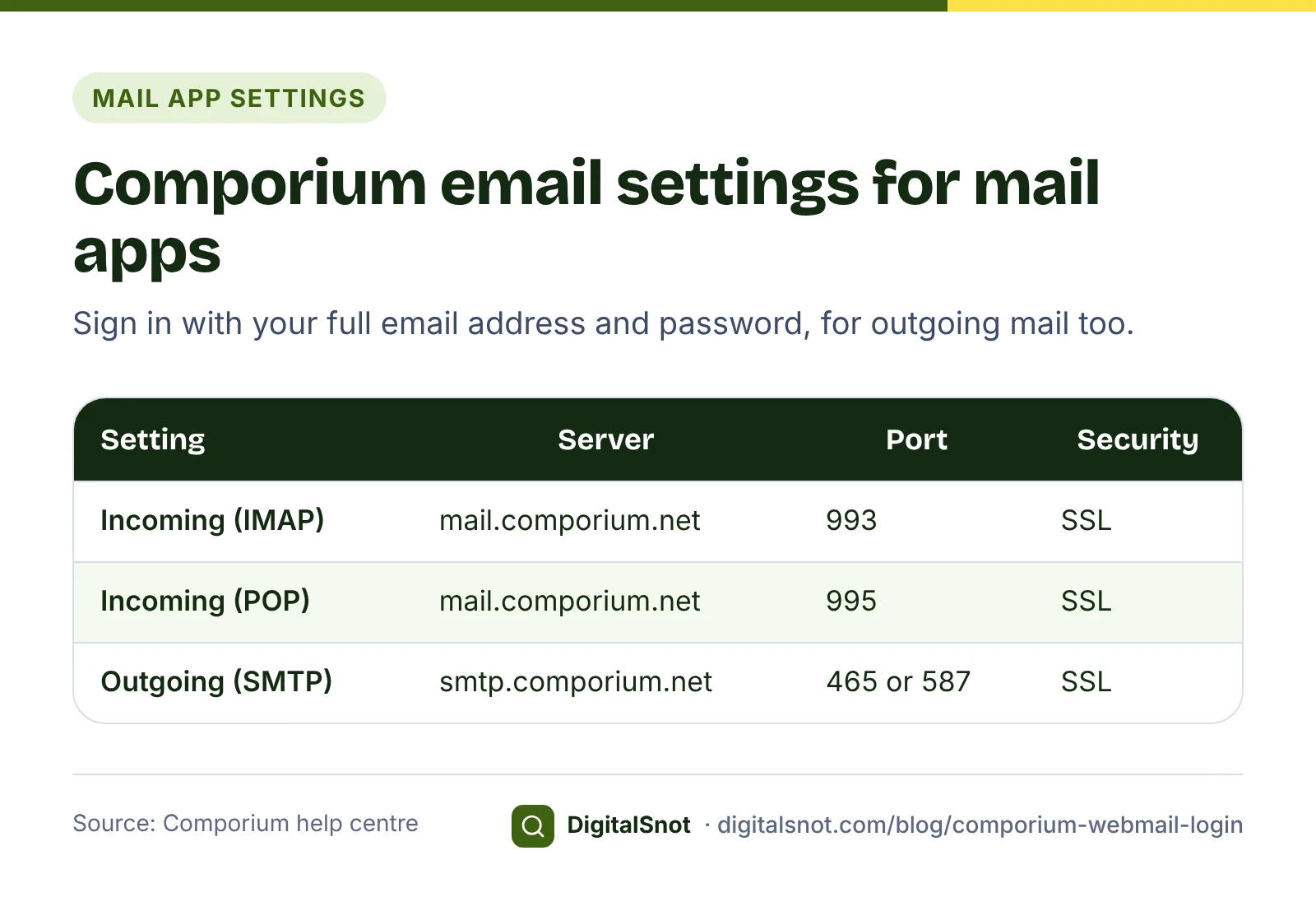
Choose IMAP if you read mail on more than one device: it keeps your mail on the server, so every device sees the same folders. POP downloads mail to one device. The servers are listed on Comporium's email servers page and in its setup article:
| Setting | Server | Port | Security |
|---|---|---|---|
| Incoming mail (IMAP) | mail.comporium.net | 993 | SSL |
| Incoming mail (POP) | mail.comporium.net | 995 | SSL |
| Outgoing mail (SMTP) | smtp.comporium.net | 465 or 587 | SSL |
The outgoing server requires you to sign in with your full email address and password. Comporium notes that an iPhone uses port 587 by default and Android uses 465; both ports use SSL.
Very old systems are the exception. Comporium has switched off TLS 1.0, an old security standard, so very old systems such as Windows XP and Outlook 2007 cannot connect. On a machine like that, use a newer browser or read your mail in webmail.
If you want a tidy signature under your messages, build one in our Email Signature Generator. Type your name and contact details, choose a layout and press "Copy signature". The tool gives paste steps for Gmail, Outlook and Apple Mail, not for Zimbra, so after you paste it into the signature setting of your webmail or mail app, send yourself a test email to see how it looks.
Storage, junk mail and sending limits
Each account has 5 GB of storage, and items you delete are removed after 30 days. Since a platform update in May 2022, a new spam filter sends suspected spam to your Junk folder, where it is deleted after 30 days; the same update removed the old Daily Digest. You can also mark mail as spam yourself.
| Limit | Current value |
|---|---|
| Mailbox storage | 5 GB per account |
| Deleted items | Removed after 30 days |
| Junk folder | Deleted after 30 days |
| Attachment size | 25 MB |
| Recipients per message | 150 |
| Messages you can send | 50 per 60 minutes |
The sending figures come from Comporium's setup article, its page on recipients per email and its article on attachments. Comporium's pages have shown different sending limits over time, so check the current article before a large send.
These limits matter for a small business. A made-up café in Rock Hill that wants to email its holiday menu to 400 customers cannot do it in one message, because that is more than 150 recipients. For mail to a list that size, an address on your own domain, with a service built for mailing lists, is the better route. If you go that way, put the domain into our Email Deliverability Checker: it reads the domain's public DNS and shows whether its SPF, DKIM and DMARC records meet the sender rules of Gmail, Yahoo and Outlook.com.
Comporium Webmail not working: what to check
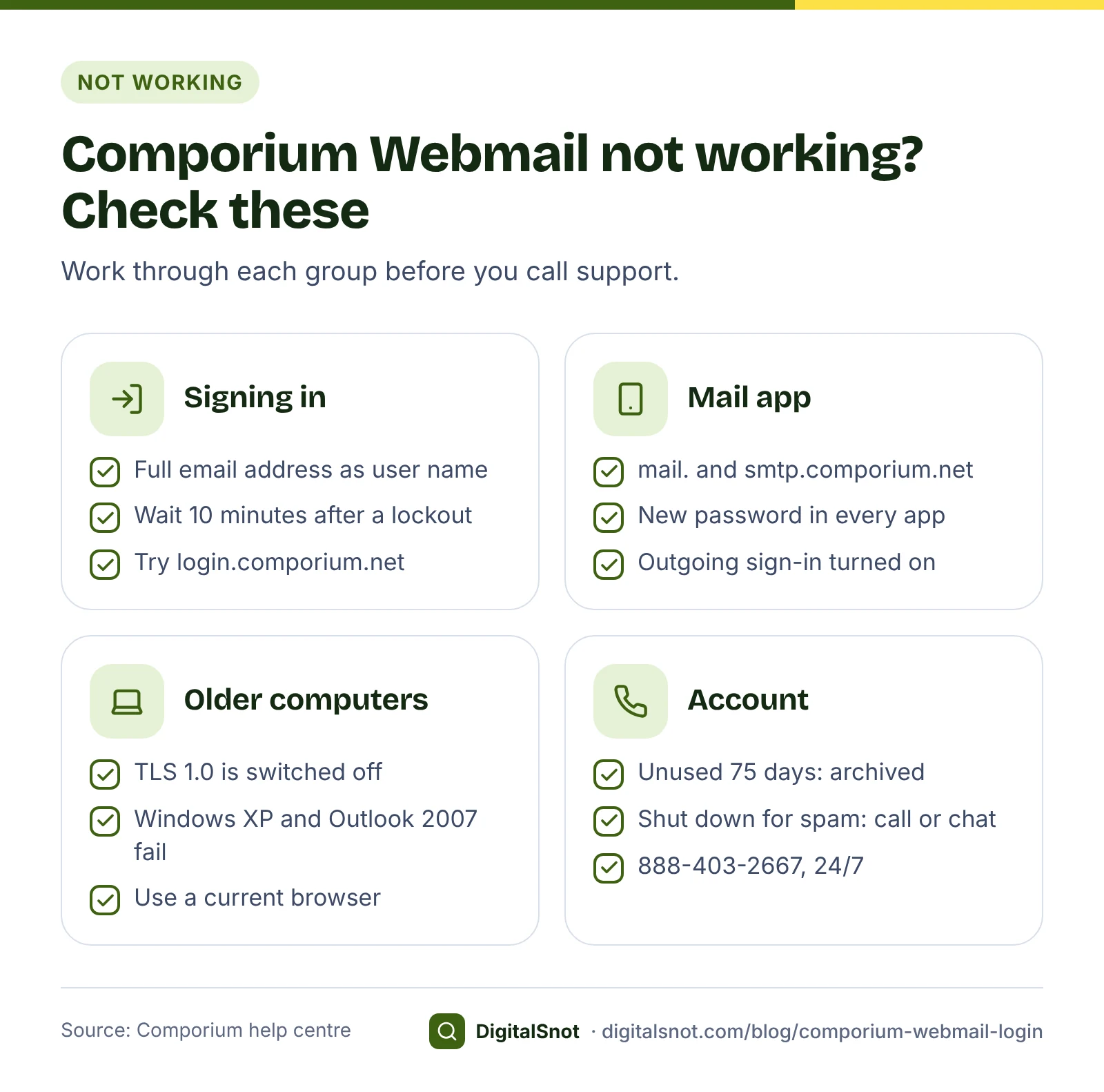
Work through these checks in order before you call.
- The user name. Use your full email address, including @comporium.net.
- A lockout. After too many failed sign-ins, wait 10 minutes and try again.
- The page itself. If webmail.comporium.net will not load, try login.comporium.net, in the latest Chrome, Edge, Safari or Firefox.
- A mail app after a password change. Enter the new password in every app, and check the servers and ports in the table above.
- An old computer. Windows XP and Outlook 2007 cannot connect because TLS 1.0 is switched off. Use a newer browser, or webmail.
- Attachments. If a file will not send or download, check its size against the 25 MB limit.
- A shut-down account. An account that sends spam or phishing is temporarily shut down. To get it working again, use the chat or call 888-403-2667.
- A long gap. If the account went unused for 75 days, it has been archived and will not be reactivated.
Staying safe from fake Comporium emails
Emails that pretend to come from your email provider are one way criminals try to get passwords. These general habits protect your comporium.net account:
- Change your password only in My Comporium, which you reach by typing my.comporium.com yourself. Never change it through a link in an email.
- Type webmail.comporium.net yourself, or use a bookmark you saved, rather than signing in from a link in a message.
- Never send your password to anyone by email, text or chat.
- Be wary of messages that say your account will close within hours unless you act now.
- Mark suspicious messages as spam.
- If you think someone has your password, change it in My Comporium at once, then call 888-403-2667.
How to contact Comporium support
For problems you cannot fix yourself, contact Comporium directly. Its contact page and its technical support article list these options:
| Option | Where | Availability |
|---|---|---|
| Phone | 888-403-2667 | 24/7 |
| Live chat | The "Chat with an Expert" tab on Comporium's contact page | 24/7 |
| Help centre | help.comporium.com | Self-help articles |
Remember that DigitalSnot is not part of Comporium. We cannot reset your password or restore an account, and we never ask for your password. Enter it only on Comporium's own sign-in pages, never for a website or person that contacts you.
Your next step
Today, sign in at webmail.comporium.net, check your recovery details and export any mail you cannot lose. Then set a monthly reminder so the 75-day rule never catches you out.
If you are moving a business to an address on its own domain, see where the domain's mail is delivered with our DNS Record Checker, which reads its MX records, then run the Email Deliverability Checker before you give customers the new address. If you also use another provider's webmail, our guides to the Midco webmail login and the PTD webmail login cover the same ground for those services.
Free tools in this article
- Email Signature Generator Build an email signature with your logo, phone and WhatsApp links, and copy it into Gmail or Outlook.
- Email Deliverability Checker Check SPF, DKIM, DMARC and MX against the Gmail, Yahoo and Outlook.com sender rules.
- DNS Record Checker See where your domain points: A, CNAME, MX, TXT, NS, CAA and SOA records, explained in plain words.
By the numbers
Frequently asked questions
What is the Comporium webmail login page?
Go to webmail.comporium.net and sign in with your full email address, such as name@comporium.net, and your password. If that page will not load, Comporium gives login.comporium.net as a backup.
Can I still create a new comporium.net email address?
No. Since 1 February 2022 Comporium no longer issues new comporium.net email accounts or reactivates inactive ones. It suggests a free provider such as Gmail.com or Mail.com instead.
What happens if I do not use my Comporium email for 75 days?
Comporium archives email accounts after 75 days of inactivity, and inactive accounts are not reactivated. Sign in regularly and export any mail you want to keep.
What are the Comporium email server settings?
Incoming mail uses mail.comporium.net, with port 993 for IMAP or 995 for POP, both with SSL. Outgoing mail uses smtp.comporium.net on port 465 or 587 with SSL, and you sign in with your full email address and password.
Why is my Comporium email account locked?
Too many failed sign-ins lock the account for 10 minutes, so wait and try again. An account that sends spam or phishing is temporarily shut down; to fix that, use the "Chat with an Expert" tab or call 888-403-2667.
How do I contact Comporium about my email?
Call 888-403-2667 or use the "Chat with an Expert" tab on Comporium's contact page; both are available 24/7. DigitalSnot is an independent site, not part of Comporium, and cannot reset passwords or restore accounts.
Sources
Every figure and claim in this article comes from the sources below. We checked each one when writing and link to the original so you can read it yourself. Credit belongs to the authors and publishers listed. How we write and check our articles.
-
1
How do I access Comporium.net webmail?
Comporium help centre · The webmail address and signing in with the full email address.
-
2
Can I access my email from the web?
Comporium help centre · login.comporium.net as the backup page, the recommended browsers, Zimbra help and no email app for smart devices.
-
3
How do I create a new Comporium email address?
Comporium help centre · No new comporium.net accounts and no reactivations since 1 February 2022; free providers suggested.
-
4
Why is my email account not working?
Comporium help centre · Archiving after 75 days of inactivity, the 10-minute lockout and accounts shut down for sending spam.
-
5
How do I add or update my Comporium.net email recovery information?
Comporium help centre · Adding or updating email recovery information.
-
6
How do I export and save my Comporium.net emails to my computer?
Comporium help centre · Exporting and saving emails to a computer.
-
7
How do I change my email password?
Comporium help centre · Changing the password in My Comporium, the password rules, and updating each mail app afterwards.
-
8
What are Comporium's email servers?
Comporium help centre · Incoming server mail.comporium.net: IMAP port 993 and POP port 995, both with SSL.
-
9
How do I set up my Comporium.net email?
Comporium help centre · Outgoing server smtp.comporium.net on 465 or 587, sign-in required, iPhone and Android defaults, supported apps and current sending limits.
-
10
How many recipients can receive a single email?
Comporium help centre · The limit on recipients per message.
-
11
Why are my Comporium.net email attachments not downloading?
Comporium help centre · The attachment size limit.
-
12
What is the maximum email storage space available?
Comporium help centre · 5 GB per account; deleted items removed after 30 days.
-
13
How do I manage spam and other unwanted mail using the updated email platform?
Comporium help centre · Suspected spam goes to the Junk folder and is deleted after 30 days; marking mail as spam.
-
14
Email platform update (May 2022)
Comporium · The May 2022 update added a new spam filter and removed the Daily Digest.
-
15
Why can't I access my email on my older computer or program?
Comporium help centre · TLS 1.0 is switched off, so Windows XP and Outlook 2007 cannot connect.
-
16
Contact us
Comporium · Support on 888-403-2667 and the "Chat with an Expert" tab, both 24/7.
-
17
How do I access 24/7 technical support?
Comporium help centre · 24/7 technical support on 888-403-2667.
-
18
About Comporium
Comporium · Based in Rock Hill, South Carolina, and the counties it serves in South Carolina and North Carolina.