Midco webmail login: Mail.Midco.net, settings and the 2026 fee
Sign in at Mail.Midco.net with your full address. Plus the app settings, the $1 monthly fee from 2026, the 5 GB limit and every way to reach Midco.
On this page (10 sections)
- 1What Midco Webmail is and who can still use it
- 2How to sign in to Midco Webmail
- 3Midco email password: rules and how to change it
- 4Midco email settings for iPhone, Android and Outlook
- 5Midco email storage: the 5 GB limit
- 6Midco email not working: what to check
- 7How to contact Midco support
- 8Moving to a different email address
- 9Next step
- 10Sources
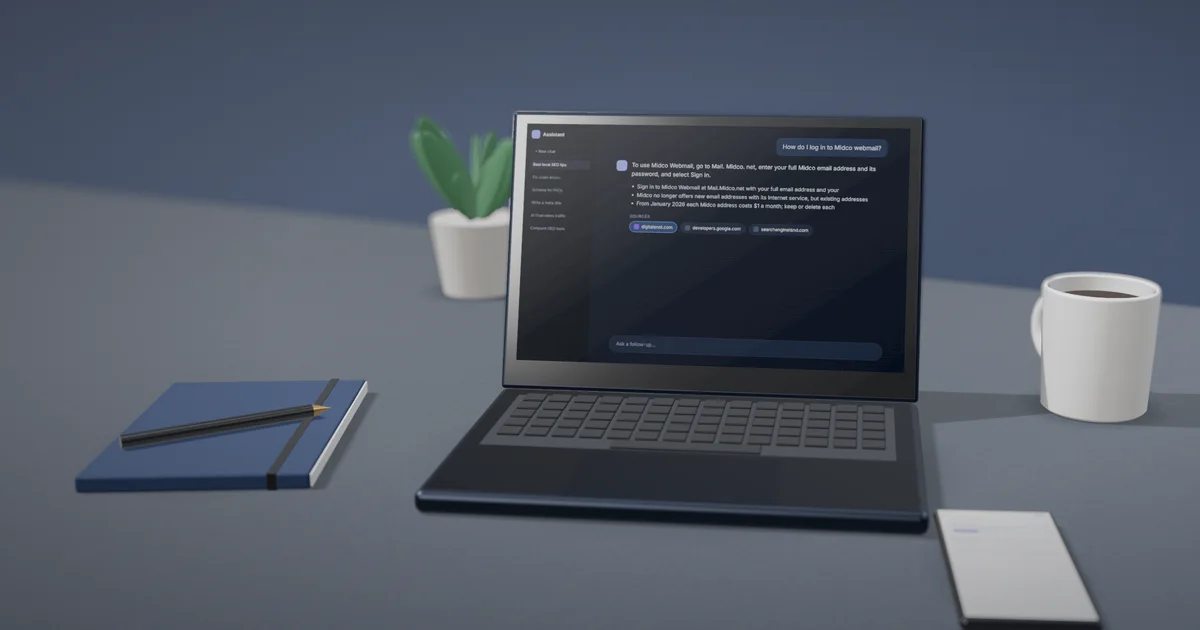
The Midco Webmail login page is Mail.Midco.net: enter your full Midco email address and its password, then select Sign In. Midco no longer offers new email addresses with its Internet service, and from January 2026 it charges $1 a month for each address it provides. If you are stuck, Midco support is on 1-800-888-1300. This is an independent guide: DigitalSnot is not part of Midco and never asks for your password.
Below are the sign-in steps, password rules, app settings, storage limit, fixes and support options, each linked to Midco's own support pages.
What Midco Webmail is and who can still use it
Midco Webmail is the browser version of the email addresses that came with Midco Internet service. Midco's email help page says Internet customers could have up to 10 email accounts, each with 5 GB of storage.
In the webmail you can send and receive email, keep a calendar with events, repeats and alarm reminders, sort mail into folders, set filters and keep contacts, which you can import from a .csv file.
No new addresses
Midco says it "no longer offers new Midco email addresses as a part of its Internet service". Addresses that already exist keep working, and Midco suggests a free email provider if you need a new one. This applies to residential customers. Midco's business support page still describes setting up email on business accounts, so business customers should check with Midco.
The $1 monthly fee from January 2026
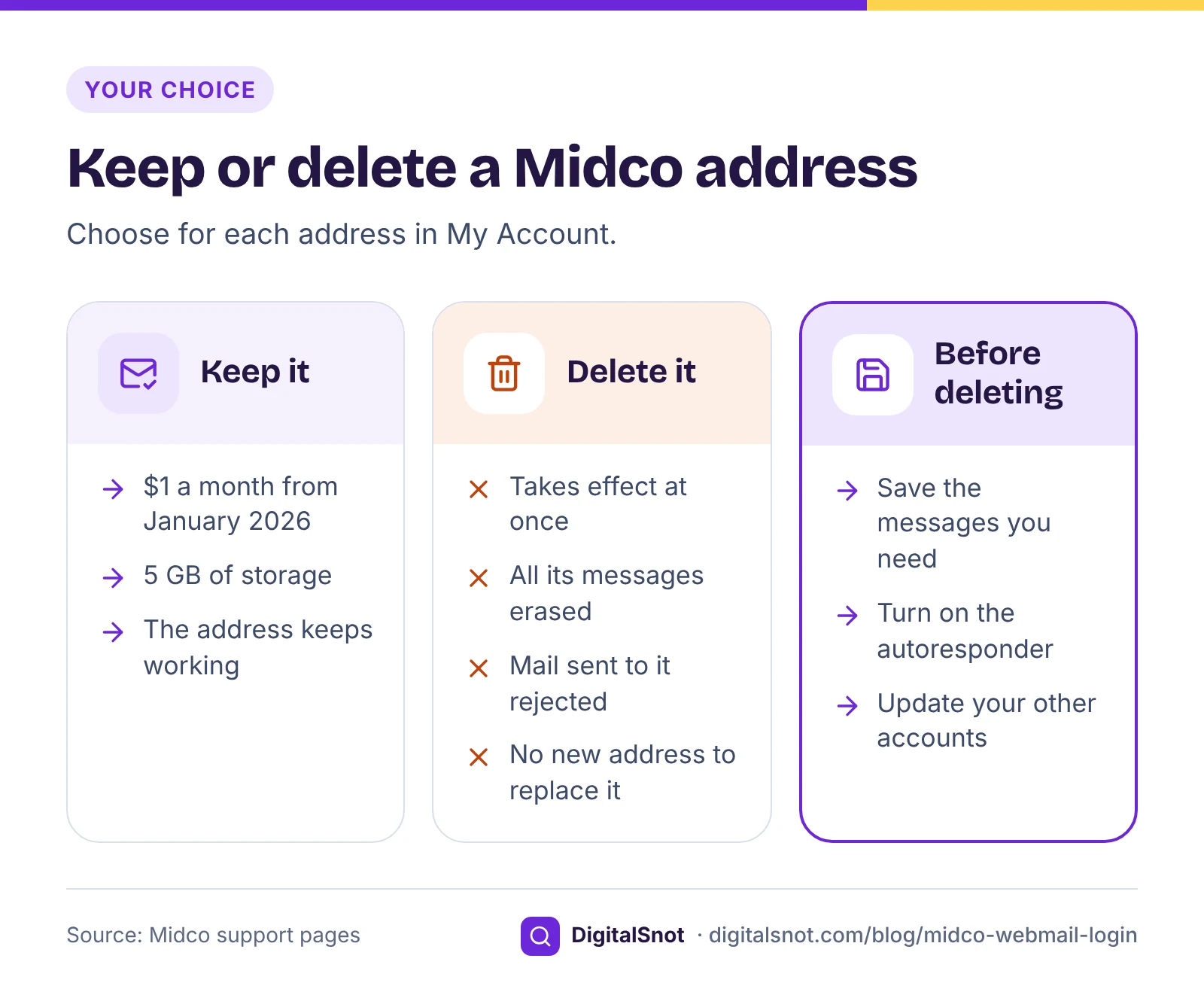
From January 2026, Midco charges a $1 monthly fee for each email address it provides. Its business FAQ gives rising email hosting costs as the reason. You choose which addresses to keep or delete in My Account.
A worked example: the Olsons, a made-up family in Fargo, have three Midco addresses. One is used every day, one belonged to a son who has moved away, and one was never opened. Keeping all three costs $3 a month, or $36 a year. Deleting the two they do not use brings that down to $1 a month.
Deleting an address is permanent
Midco's page on deleting an email account says the deletion is immediate and permanent: every message in the account is erased, and mail sent to the address is rejected. Before you delete one, save the messages you need and give your contacts another address. Midco no longer offers new addresses, so a deleted one cannot be replaced.
How to sign in to Midco Webmail
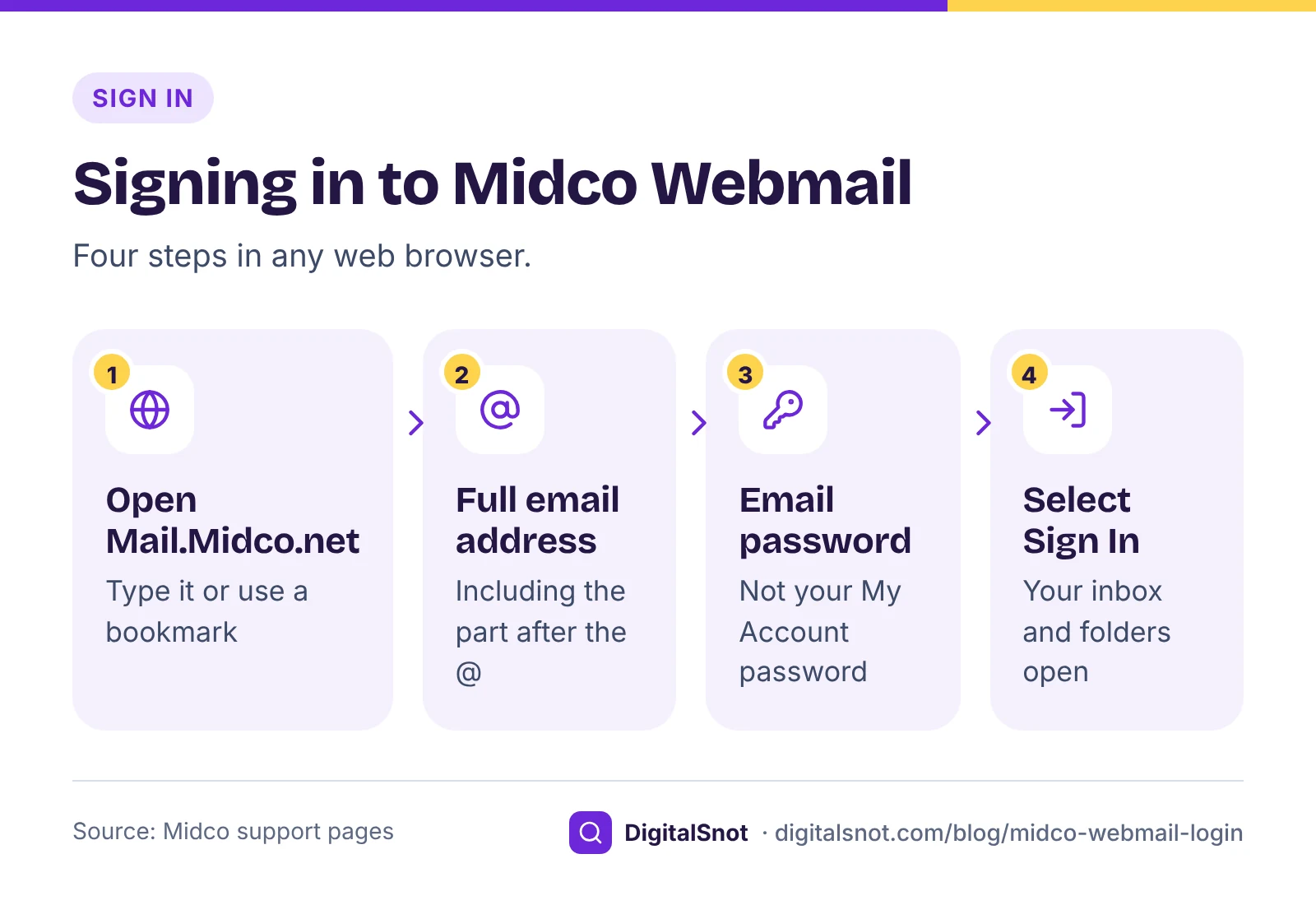
Midco's guide to using Midco email gives these steps:
- Open a web browser and go to Mail.Midco.net.
- Enter your full email address, including the part after the @ sign.
- Enter your email password.
- Select Sign In.
Use the full address every time: Midco's device setup page asks for it in mail apps too.
Type Mail.Midco.net yourself or use a bookmark, rather than a link in an email that asks you to sign in. That way you know the page you type your password into is Midco's.
Midco email password: rules and how to change it
Your email password is not the same as your My Account password, and the two follow different rules.
- Email password: 8 to 24 characters, letters and numbers only. Midco's password rules do not allow special characters such as the exclamation mark, the @ sign or the question mark, and ask you to avoid personal information and dates.
- My Account password: 8 to 32 characters, with at least one number, one uppercase letter and one lowercase letter, according to Midco's page on passwords and PINs.
To change your email password, sign in to My Account and go to Services, then Internet, then Manage Email. Select Edit next to the address, enter the new password and save. You can do the same in the My Account app.
Then open every mail app that uses the address: your phone, your tablet and Outlook on your computer. Each one still holds the old password until you type in the new one, so it will keep failing to connect.
Midco's security practices page says it may block access to an account after suspicious activity, until security is re-established. If your password is right and you still cannot get in, call Midco.
Midco email settings for iPhone, Android and Outlook
On an iPhone, the quickest way is Midco's automatic profile from ios.midco.net. You can also add the account by hand under Settings > Mail > Add Account > Other, as Midco's device setup page describes.
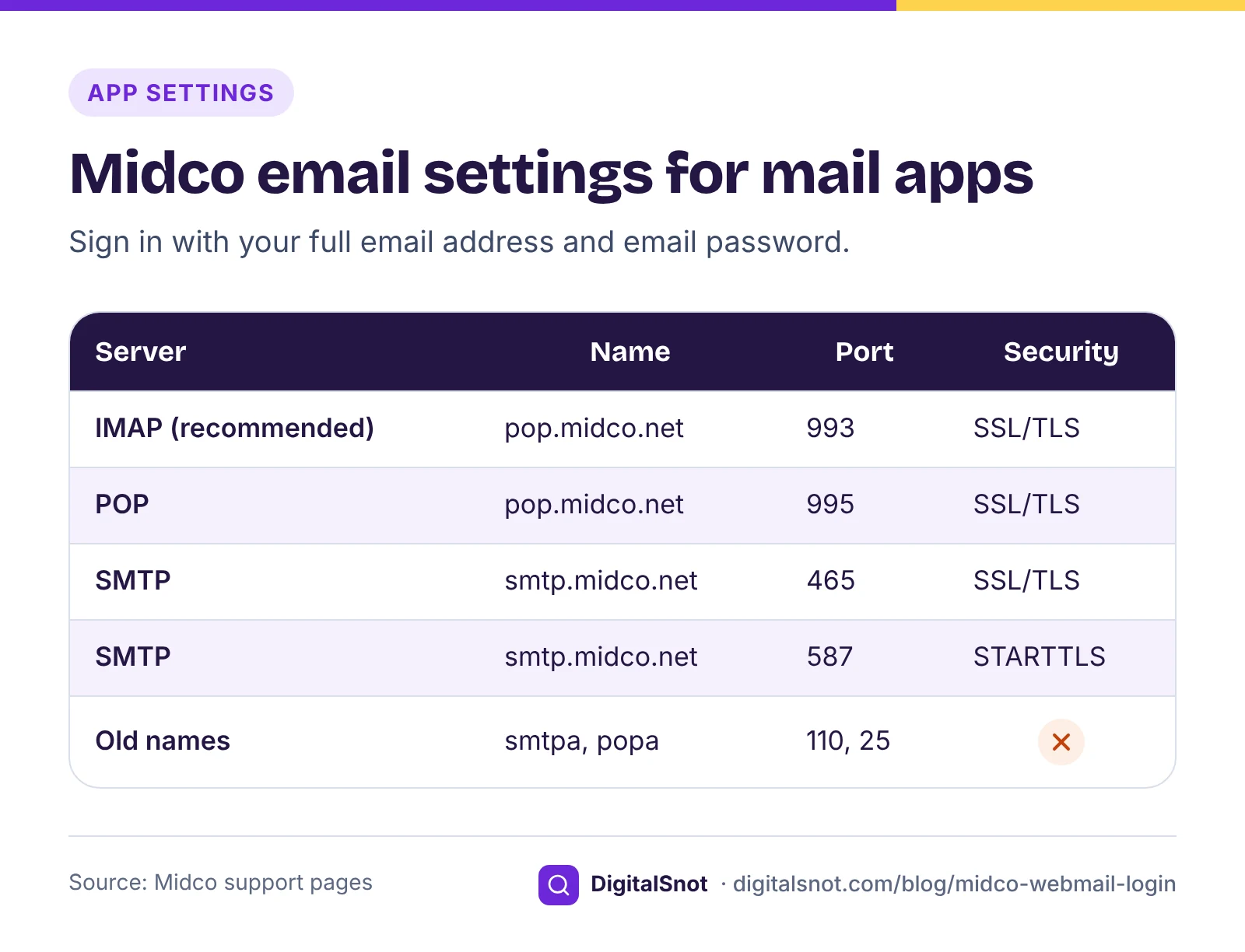
On an Android phone, in Outlook or in any other mail app, choose IMAP when the app asks for the account type, and enter the settings from that page:
| Setting | What to enter |
|---|---|
| Incoming server (IMAP, Midco's recommended option) | pop.midco.net, port 993, SSL/TLS |
| Incoming server (POP) | pop.midco.net, port 995, SSL/TLS |
| Outgoing server (SMTP) | smtp.midco.net, port 465 with SSL/TLS, or port 587 with STARTTLS |
| Outgoing authentication | Tick "Outgoing server requires authentication" |
| User name | Your full email address |
| Password | Your email password |
The IMAP server really is called pop.midco.net: Midco lists the same incoming server for both. Choose IMAP unless you have a reason not to. Midco recommends it for new setups, and IMAP keeps your mail on the server, so webmail, your phone and your computer show the same folders.
Some older Midco PDFs list smtpa.midco.net, popa.midco.net and ports 110 and 25. Do not use them.
Midco does not list an email app. Its My Account app covers billing, outages, equipment and users, so read your mail in the browser or in your phone's own mail app.
Midco email storage: the 5 GB limit
Each Midco address has 5 GB of storage, and Midco's storage page counts every folder, including Junk, Trash and Sent. Midco sends a quota warning as the mailbox fills. Once it is full, the address cannot receive new mail until you free some space, and people who write to you get a "mailbox full" notice.
Two clean-ups happen without you:
- Items in Trash and Junk older than 30 days are deleted automatically.
- Suspected spam goes to the Spam folder and is deleted automatically after 30 days. If a real message lands there, select the "Not Spam" icon to move it back to the Inbox.
To free space yourself, delete old messages with large attachments from your Inbox and Sent folders, then empty Trash, since Trash counts towards the 5 GB too.
A filter can stop newsletters piling up. Go to Settings > Email Account, open the Filters tab and select Add Filter. A filter matches the To, From or Subject line and can move or delete messages automatically.
Midco email not working: what to check
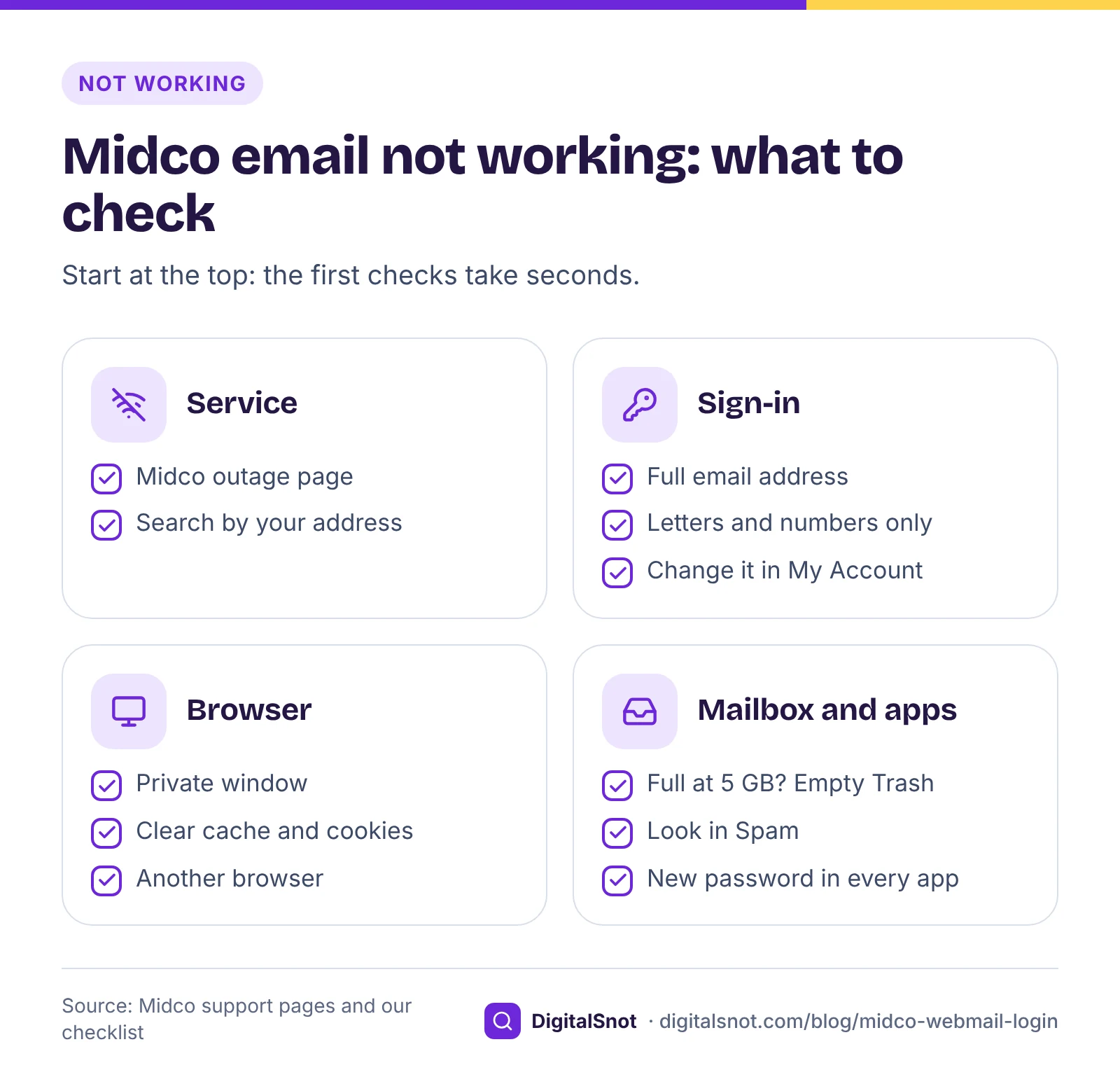
Work through these checks in order. The first ones take seconds.
- Is Midco down? Enter your address on Midco's outage page. If there is an outage in your area, wait for it to clear.
- Is the password right? Sign in at Mail.Midco.net with your full email address. Remember that the email password is letters and numbers only. If you are not sure of it, change it in My Account.
- Is the browser the problem? Try a private window, clear the browser's cache and cookies, or use a different browser. If the page loads only in part, turn off extensions for a moment.
- Is the mailbox full? If you can send but nothing arrives, check whether you have reached 5 GB, and look in the Spam folder.
- Is it only one app? If webmail works but your phone or Outlook does not, compare the app with the settings table above, look for the old smtpa or popa names, and make sure it has your newest password.
If all five check out, call Midco: it may have blocked access after suspicious activity.
A worked example
Take Prairie Tool and Supply, a made-up hardware shop in Sioux Falls. The owner changed the shop's Midco email password in My Account. Webmail worked straight away, but Outlook on the shop computer kept asking for a password and the phone stopped sending.
The fix took two changes. First, she typed the new password into Outlook and into the phone. Second, the phone's outgoing server still said smtpa.midco.net from an old setup sheet, so she changed it to smtp.midco.net, port 465, SSL/TLS, with authentication ticked. Then she sent herself a test message from each app to confirm.
How to contact Midco support
DigitalSnot cannot see or change Midco accounts. We are an independent website, not part of Midco, and we never ask for your password. For anything about your account, go to Midco directly:
| Channel | How to reach it |
|---|---|
| Phone | 1-800-888-1300 (technical support 24/7) |
| Text | 64326 |
| Live chat | The chat icon on Midco's live chat page |
| Help centre | The Email section of Midco support |
| Outages | midco.com/outages, by address |
The phone and text details are on Midco's contact page.
Have your account PIN ready
When you call, Midco checks who you are with a 4-digit account PIN. Only the account owner can set it, and Midco can reset a forgotten one. Without the PIN, Midco's customer security page says it will call back the number on the account, send mail or email to the address on record, or ask for photo ID at a store.
Moving to a different email address
If you would rather not pay the monthly fee, or you want an address that does not depend on your internet provider, plan the move so nothing important is lost:
- Create the new address. Midco suggests a free email provider.
- Tell people automatically. In Midco Webmail, open Settings > Email Account and the Autoresponder tab, and turn on a short reply that gives your new address. It stays on until you turn it off by hand.
- Update your accounts. Change the email address on your bank, utility, shopping and other accounts that use the Midco one.
- Delete only when it goes quiet. When nothing you need arrives at the old address any more, delete it in My Account. The deletion is immediate and permanent.
For a small business: an address on your own domain
An address on a domain you own, such as orders@prairietool.example, stays the same whichever internet provider or email host you use later. If you go that way:
- Put the domain into our Email Deliverability Checker. It reads the domain's public DNS and shows whether SPF, DKIM and DMARC are in place, with records to copy for anything missing.
- Check the renewal date with our Domain Expiry Checker. If the domain expires, the email on it can stop working.
- Make a signature for the new address with our Email Signature Generator, paste it into your mail app, and send yourself a test email to see how it looks, because each app shows signatures in its own way.
Next step
Sign in at Mail.Midco.net, empty Trash, and count how many addresses on the account you really use. Then keep or delete each one in My Account, and check your phone and Outlook against the settings table above.
If someone in your household or office also has an address with another local provider, our guides to Comporium webmail login (Comporium has also stopped giving out new addresses) and Arvig webmail login follow the same pattern.
Free tools in this article
- Email Deliverability Checker Check SPF, DKIM, DMARC and MX against the Gmail, Yahoo and Outlook.com sender rules.
- Domain Expiry Checker See when your domain expires, its registrar, status codes in plain words, name servers and DNSSEC.
- Email Signature Generator Build an email signature with your logo, phone and WhatsApp links, and copy it into Gmail or Outlook.
By the numbers
Frequently asked questions
Is Midco email free?
No. From January 2026 Midco charges a $1 monthly fee for each email address it provides. You can keep or delete each address in My Account, and deleting one is permanent.
How do I log in to Midco Webmail?
Go to Mail.Midco.net, enter your full email address and your email password, and select Sign In. Use the email password, not your My Account password: the two follow different rules.
Can I still get a new Midco email address?
No. Midco no longer offers new Midco email addresses as part of its Internet service, though existing addresses keep working. For a new address, Midco suggests a free email provider.
What are the Midco email server settings?
Incoming mail uses pop.midco.net: IMAP on port 993 or POP on port 995, both with SSL/TLS. Outgoing mail uses smtp.midco.net on port 465 with SSL/TLS or port 587 with STARTTLS, with "Outgoing server requires authentication" ticked. Sign in with your full email address and your email password.
Why am I not receiving Midco email?
Check whether your mailbox is full: each address has 5 GB, counting Junk, Trash and Sent, and a full mailbox cannot receive new mail until you free space. Also look in the Spam folder and on Midco's outage page.
What is the Midco customer service phone number?
Call 1-800-888-1300, where technical support is available 24/7, or text 64326. Have your 4-digit account PIN ready so Midco can check who you are.
Sources
Every figure and claim in this article comes from the sources below. We checked each one when writing and link to the original so you can read it yourself. Credit belongs to the authors and publishers listed. How we write and check our articles.
-
1
Using Midco email
Midco · Sign in at Mail.Midco.net with your email address and password, then select Sign In.
-
2
Email
Midco · $1 monthly fee for each Midco address from January 2026; keep or delete addresses in My Account; up to 10 accounts with 5 GB each.
-
3
Email support
Midco · Midco no longer offers new Midco email addresses as part of its Internet service and suggests a free email provider.
-
4
Using Midco email (business)
Midco Business · Business email setup, server settings and the FAQ giving rising email hosting costs as the reason for the fee.
-
5
Email password rules (business)
Midco Business · Email password of 8 to 24 letters and numbers, no special characters, no personal information or dates.
-
6
Reset your email password
Midco · My Account > Services > Internet > Manage Email > Edit, or the My Account app.
-
7
Email device setup
Midco · iPhone profile at ios.midco.net, full email address, IMAP, POP and SMTP servers, ports and security; old smtpa and popa names not to use.
-
8
Email storage
Midco · 5 GB per address across all folders, full mailbox behaviour, quota warning, 30-day clean-up of Trash, Junk and Spam, "Not Spam" icon.
-
9
Delete an email account
Midco · Deletion is immediate and permanent: messages are erased and mail sent to the address is rejected.
-
10
Messages and calendar
Midco · Calendar with repeats and alarm reminders, special folders, and filters under Settings > Email Account > Filters.
-
11
Email settings
Midco · Autoresponder tab under Settings > Email Account, turned on and off by hand.
-
12
Contact Midco
Midco · Phone 1.800.888.1300 with technical support 24/7, and text 64326.
-
13
Live chat
Midco · Live chat from the chat icon.
-
14
Outages
Midco · Outage lookup by address.
-
15
Reset password and PIN
Midco · My Account password rules and the 4-digit account PIN, set by the account owner and reset by Midco.
-
16
Customer security
Midco · How Midco verifies you without the PIN: call-back, mail or email to the address on record, or photo ID at a store.
-
17
Midco security practices
Midco · Midco may block account access after suspicious activity until security is re-established.
-
18
My Account app
Midco · The app's listed features: billing, outages, equipment and users.


