Google Ads budget: how much should a local business spend to start?
Work out a starting Google Ads budget from what a lead is worth to you, set the daily budget correctly and know when to raise or lower it.
On this page (9 sections)
"How much should I spend on Google Ads?" has no single answer, and any round number someone quotes you is a guess. A better starting Google Ads budget comes from your own numbers: what a customer is worth, how many enquiries become customers and what a click costs in your area.
By the end of this post you will be able to work out what you can pay for a lead, turn that into a monthly and daily budget with GST, plan a test period long enough to learn from, and decide when to spend more or less.
Start from what a lead is worth
A lead is only worth paying for if it earns back more than it costs. Google Ads Help suggests a simple way to estimate the value of a conversion: take your average sale, multiply it by your profit margin, then by the share of leads that become customers.
That figure is your break-even cost per lead. Pay more than it and every new customer loses you money. Pay less and you keep the difference. Most owners want to keep part of the profit, so the cost per lead you aim for, your target, sits below break-even.
Google also notes that repeat business can raise a lead's value. A salon or clinic whose customers come back several times a year earns more from each new customer than the first bill shows. If you are unsure, start with the first sale only. A cautious value is safer than an optimistic one.
If you get different kinds of leads, such as calls, WhatsApp chats and form enquiries, they rarely convert at the same rate. Put each type into the Lead Value Calculator with its monthly count, close rate, average sale and margin. It shows what each type is worth, your break-even cost per lead and a suggested maximum that keeps the share of profit you choose.
Turn your target into clicks and a monthly budget
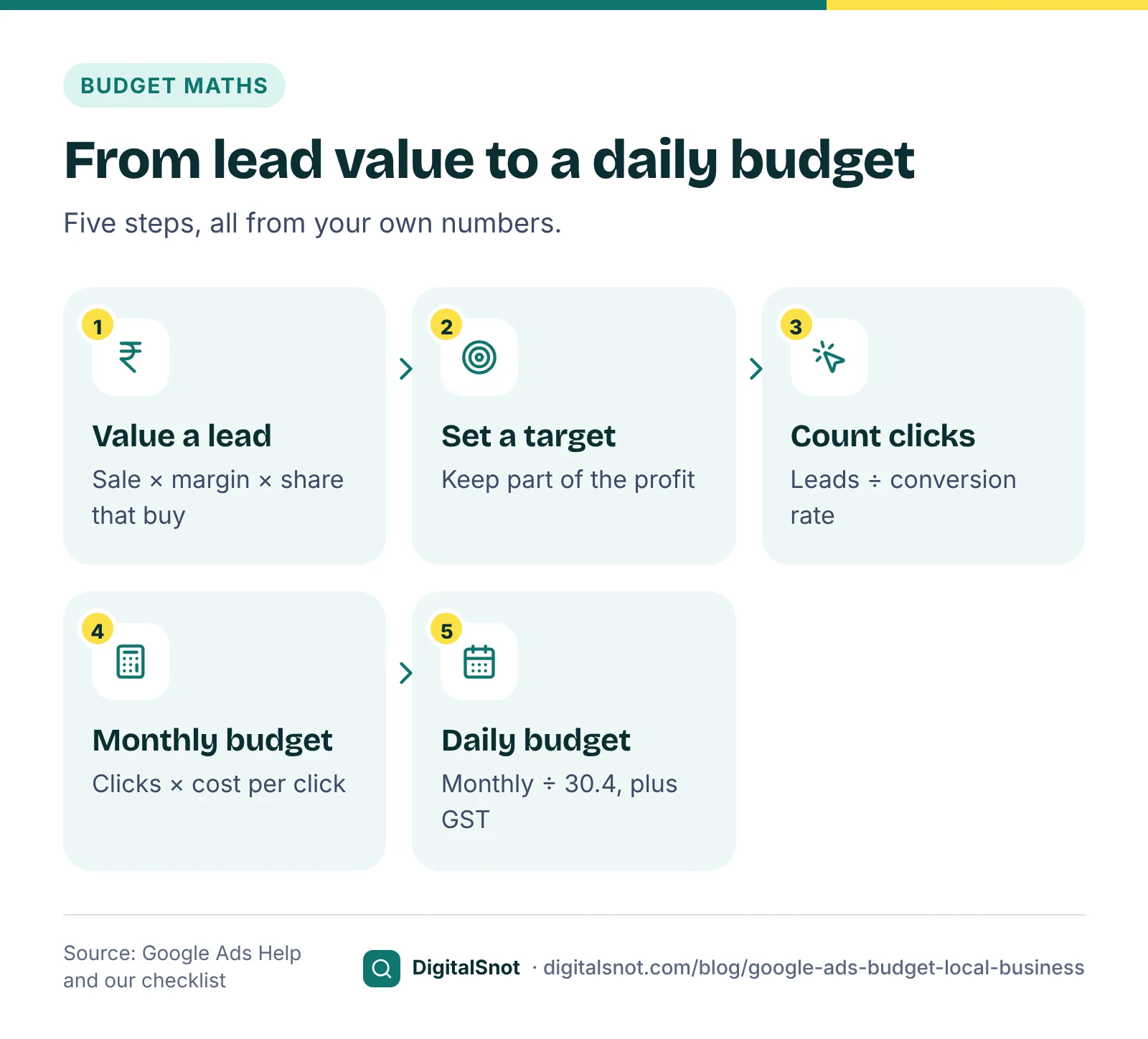
Once you know what you can pay per lead, the budget is three steps of arithmetic:
- Clicks you need = leads you want ÷ your landing page conversion rate.
- Monthly budget = clicks you need × your expected cost per click (CPC).
- Daily budget = monthly budget ÷ 30.4.
The conversion rate is the share of visitors who call, message or fill in your form. If you have no history, use a cautious guess and replace it after the first month.
The cost per click is the hardest number to know in advance. Keyword Planner in Google Ads gives bid ranges and forecasts for your keywords, but Google describes them as estimates. Its page on Keyword Planner forecasts explains that they take your bid, budget and seasonality into account, and the main Keyword Planner page says they are refreshed daily from the last 7 to 10 days. A forecast is a starting point, not a promise of clicks.
If you have downloaded a forecast, drop it into the Keyword Planner Forecast to Budget Plan. It turns Google's forecast clicks and cost into leads, customers and sales from your own rates, adds 18% GST and, if your budget is smaller than the forecast, keeps the keywords with the lowest cost per lead first. It labels which numbers are Google's and which are its own maths.
A worked example: a salon in Bengaluru
Glow Theory Salon in Indiranagar, Bengaluru, is a made-up business that wants more hair treatment clients. The owner, Priya, puts her numbers into the Google Ads Budget Calculator. All the figures below are examples, not benchmarks.
| Step | Her number | Result |
|---|---|---|
| Average first bill | ₹5,000 | |
| Gross margin | 50% | ₹2,500 profit per new client |
| Enquiries that book | 40% | Break-even cost per lead: ₹1,000 |
| Profit she wants to keep | Half | Target cost per lead: ₹500 |
| Leads wanted a month | 20 | |
| Landing page conversion rate | 8% (a cautious guess) | 250 clicks a month |
| Cost per click from Keyword Planner | About ₹25 (example) | ₹6,250 a month before GST |
| Daily budget | ₹6,250 ÷ 30.4 | About ₹206 a day |
| GST at 18% | ₹1,125 | ₹7,375 a month in total |
At these numbers, 20 leads would cost about ₹313 each, well under her ₹500 target. The most she could afford per click is her target cost per lead times her conversion rate: ₹500 × 8% = ₹40. If clicks turn out to cost more than that, the plan does not work at an 8% conversion rate, and she would need a better landing page before a bigger budget.
She decides to test for two months, about ₹12,500 in ad spend before GST. That is a sum she can afford to spend on learning, even if the first month brings fewer bookings than planned.
How the daily budget really works
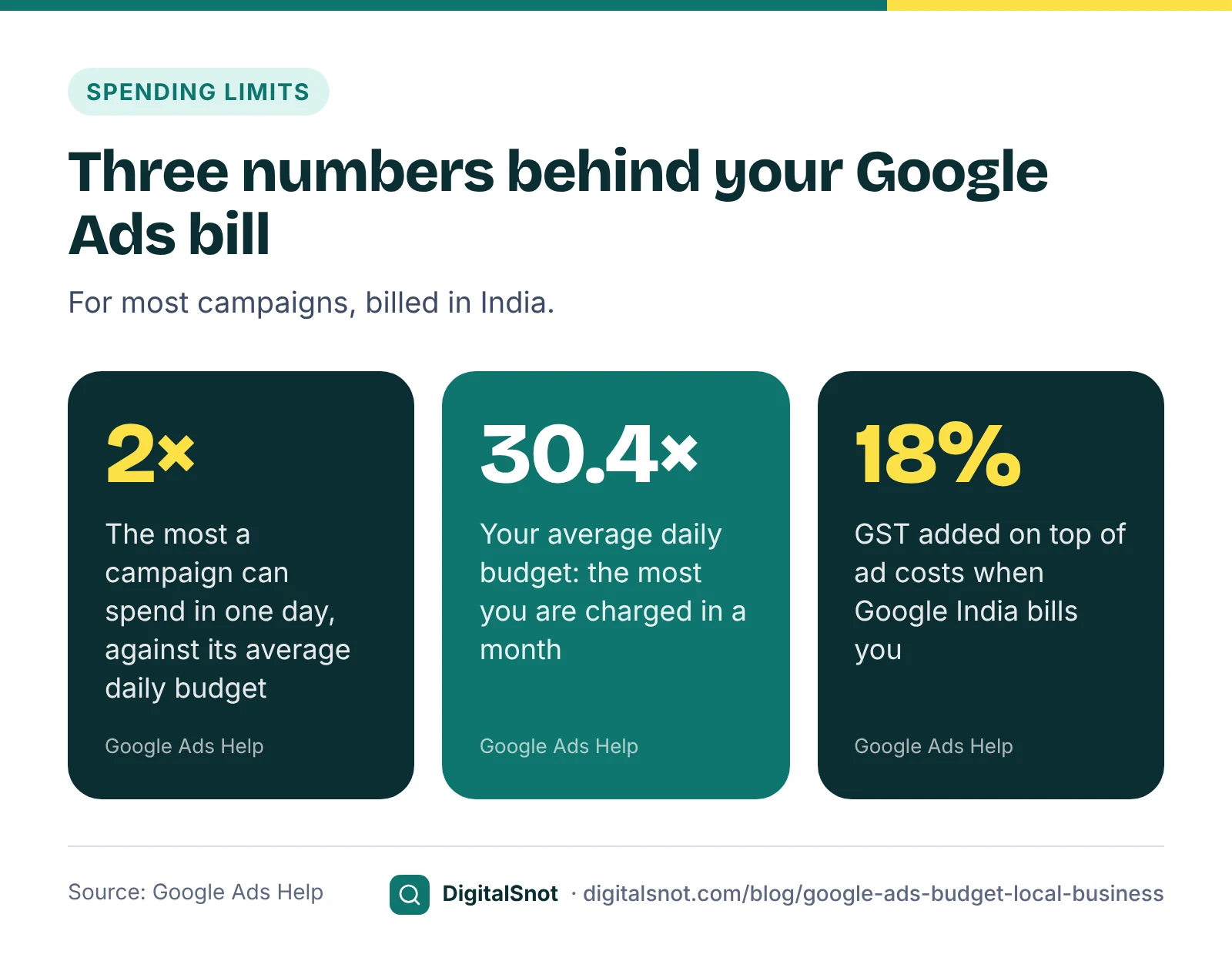
Google Ads asks for an average daily budget, and it treats it as an average, not a hard daily cap. Google's page on average daily budgets says spend varies by day: on a busy day your campaign can spend up to twice the average daily budget, for most campaigns, and less on quiet days.
Over a month, the limit is fixed. Google's page on spending limits says you are not charged more than your monthly charging limit, which for most campaigns is your average daily budget times 30.4, the average number of days in a month. If Google serves more than that, it covers the difference.
For Priya, a ₹206 daily budget means one busy Saturday could cost up to ₹412, but the month cannot be charged more than ₹206 × 30.4 = ₹6,262.
In India, GST is added on top of your ad costs. Google's page on taxes in your country lists 18% GST when Google India bills you: CGST and SGST at 9% each for a bill-to address in Haryana, and IGST at 18% everywhere else. A GST-registered business can often claim it back as input tax credit, but whether you can depends on your registration, so ask your accountant. This post is not tax advice.
Plan a test period you can learn from
A budget is only useful if it runs long enough to tell you something. A week of ads might bring three enquiries, which is too few to judge.
Google's own bidding needs time too. Its page on bid strategy statuses explains that an automated bid strategy shows "Learning" when it is new or reactivated, after a change to its settings, or when campaigns, ad groups or keywords are added or removed. Google's page on the learning period says how long it lasts depends on the number of conversions, how long your customers take to convert and the bid strategy.
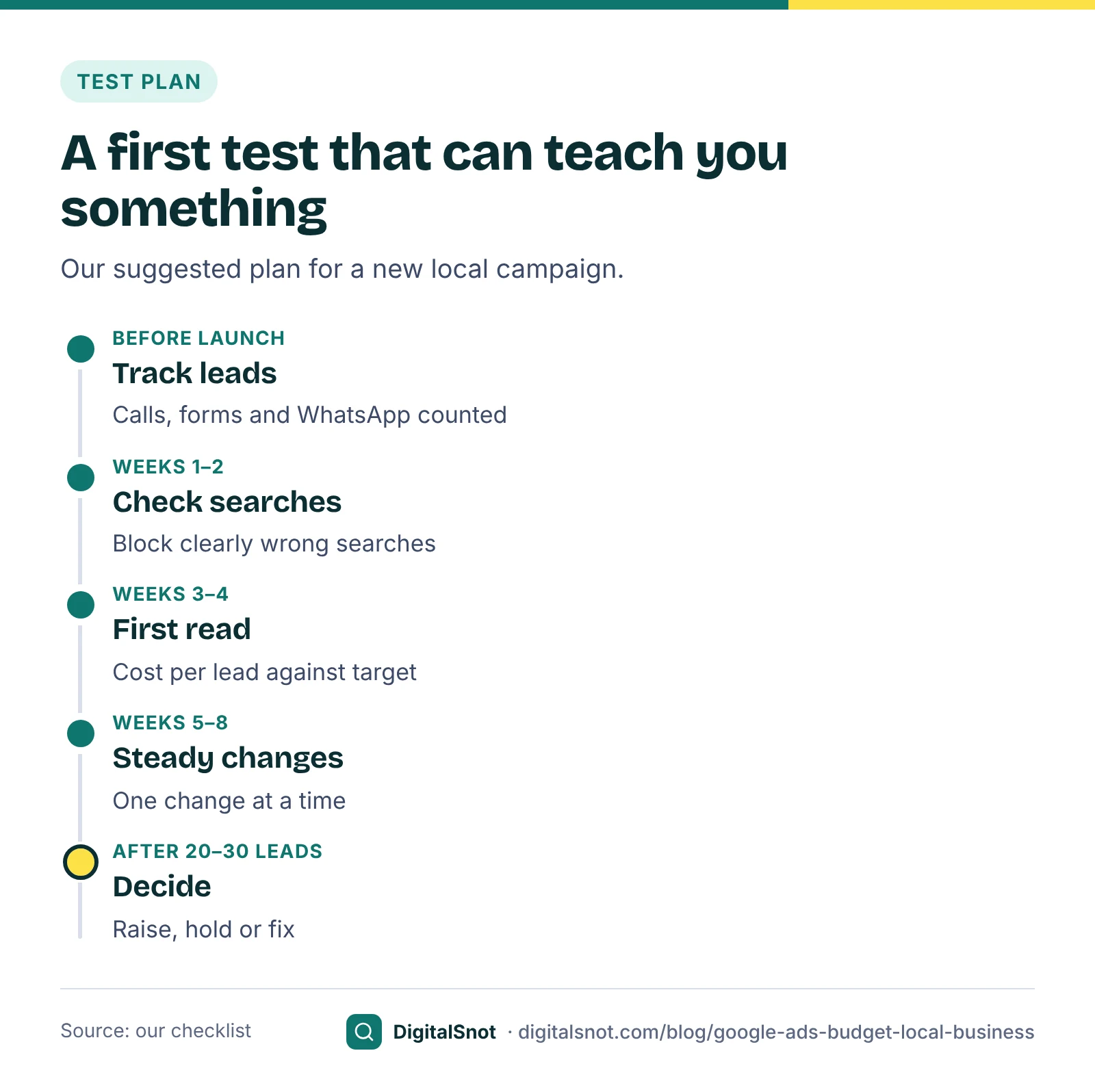
Our suggestion for a first local campaign is to plan for at least four to eight weeks, and to judge it on cost per lead only once you have around 20 to 30 tracked leads. Set conversion tracking up before you launch, or you will be judging clicks, not enquiries.
The Local Campaign Launch Wizard plans a whole first Search campaign from four short steps: your business and areas, your services, the enquiries you want with your sale value and monthly budget, and a review. It works out the daily budget with GST, suggests a bid strategy for a campaign with no history, and ends with a pre-launch checklist and a list for the first 30 days. It never signs in to your Google Ads account, so you set the plan up yourself.
When to raise or lower the budget
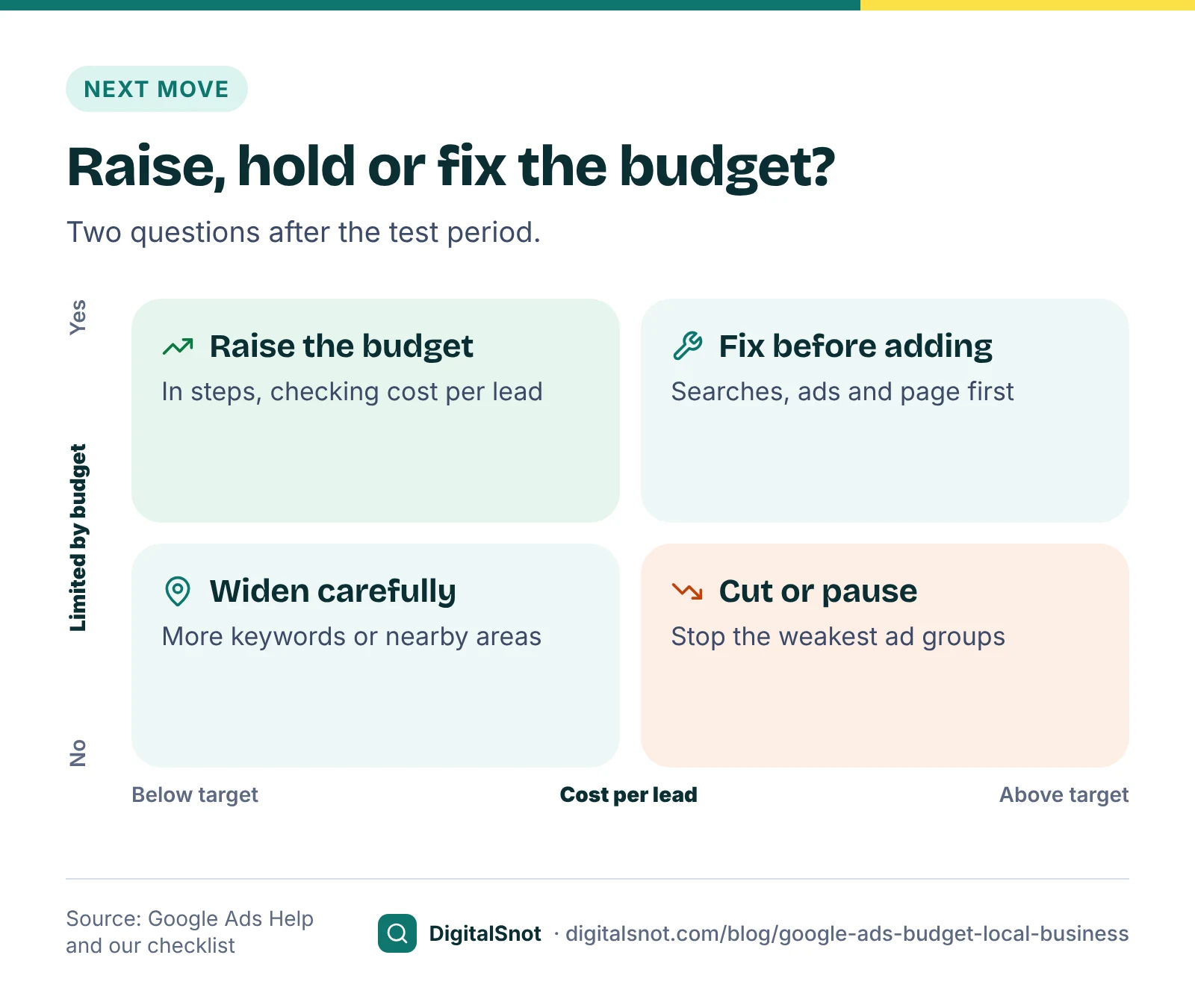
After the test, two questions decide the next step. Is your cost per lead below your target? And is the campaign held back by its budget?
Google shows the second answer as the "Limited by budget" status. Its page on fixing "Limited by budget" explains that the average daily budget is lower than the campaign needs to show for all the searches its settings could reach, so Google shows your ads less often.
- Leads cost less than your target and the campaign is limited by budget: this is the best case for spending more. Raise the budget in steps, for example 20% at a time (our suggestion), and check cost per lead after each step.
- Leads cost less than your target and the campaign is not limited: more budget alone will not buy more leads. Look at more keywords or nearby areas instead.
- Leads cost more than your target and the campaign is limited: do not add money yet. Look at the searches you paid for, your ads and your landing page first.
- Leads cost more than break-even: cut the budget or pause the weakest ad groups while you fix them.
Mistakes that waste a starting budget
- Spreading a small budget too thin. Ten campaigns at ₹50 a day each give none of them enough clicks to judge. Start with your best one or two services.
- Launching without conversion tracking. Without it you cannot see cost per lead, and automated bidding has nothing to aim for.
- Copying someone else's budget. A competitor's spend tells you nothing about your margin or close rate.
- Forgetting GST. If you cannot claim it back, 18% on top of your ad spend is a real cost in your plan.
- Changing everything in week one. Each change makes the days before and after harder to compare. Change one thing at a time.
- Ignoring your website. A slow or unclear landing page lowers your conversion rate, and the budget you need rises with it.
Before you choose keywords, it helps to know the words customers actually type. Our keyword research guide shows how to find them.
Your next step
Write down four numbers today: your average sale, your margin, the share of enquiries that become customers and the leads you want a month. Put them into the Lead Value Calculator and then the Google Ads Budget Calculator, and you will have a target cost per lead and a daily budget to enter in Google Ads. The rest of our free Google Ads tools are on the Google Ads tools page. If you would rather have someone check your plan before you spend, get in touch.
Free tools in this article
- Lead Value Calculator Work out what each kind of lead is worth, the conversion value to set and what you can pay per lead.
- Keyword Planner Forecast to Budget Plan Turn a Keyword Planner forecast into a monthly plan: budget with GST, leads and which keywords to keep.
- Google Ads Budget Calculator Work out your target CPA or ROAS, max CPC and the monthly and daily budget, with GST.
- Local Campaign Launch Wizard Answer four steps and get a full plan for your first local Search campaign, with an Editor file.
By the numbers
- your average daily budget: the most a campaign can spend in one day, for most campaign types
- 2×
- Source: Google Ads Help
- your average daily budget: the most you are charged in a month for most campaigns
- 30.4×
- Source: Google Ads Help
Frequently asked questions
How much should a small local business spend on Google Ads each month?
There is no single right amount. Work out what a lead is worth to you (average sale × margin × the share of leads that become customers), keep part of it as profit, and the rest is what you can pay per lead. The leads you want, divided by your conversion rate and multiplied by the cost per click, gives the monthly budget.
Why did Google Ads spend more than my daily budget?
Google treats your budget as a daily average. On a busy day most campaigns can spend up to twice the average daily budget, and less on quiet days. Over a month, Google does not charge more than your average daily budget times 30.4 for most campaigns, and it covers any extra it serves.
Is GST charged on Google Ads in India?
Yes. Google India adds 18% GST to ad costs: CGST and SGST at 9% each for a bill-to address in Haryana, and IGST at 18% elsewhere. A GST-registered business can often claim it as input tax credit, but check this with your accountant.
How accurate are Keyword Planner forecasts?
They are estimates. Google refreshes them daily from the last 7 to 10 days, adjusts them for seasonality and takes your bid and budget into account. Use them to plan a starting budget, then replace them with your own results after the first month.
How long should I run Google Ads before judging the budget?
Our suggestion is at least four to eight weeks, and around 20 to 30 tracked leads, before you judge cost per lead. Google says the learning period of automated bidding depends on your number of conversions, how long customers take to convert and the bid strategy.
When should I increase my Google Ads budget?
When leads cost less than your target and the campaign shows "Limited by budget", which means Google is showing your ads less often than it could. Raise the budget in steps and check cost per lead after each one. If leads cost more than your target, fix the campaign before adding money.
Sources
Every figure and claim in this article comes from the sources below. We checked each one when writing and link to the original so you can read it yourself. Credit belongs to the authors and publishers listed. How we write and check our articles.
-
1
How to estimate conversion value
Google Ads Help · Lead value as average sale × profit margin × share of leads that become customers; repeat business can raise it.
-
2
About average daily budgets
Google Ads Help · Daily spend can reach twice the average daily budget for most campaigns.
-
3
About spending limits
Google Ads Help · Monthly charging limit of 30.4 times the average daily budget; Google covers overdelivery.
-
4
About Keyword Planner forecasts
Google Ads Help · Forecasts account for bid, budget and seasonality.
-
5
Use Keyword Planner
Google Ads Help · Forecasts are refreshed daily from the last 7 to 10 days.
-
6
Taxes in your country
Google Ads Help · 18% GST on Google Ads in India, as IGST or CGST and SGST.
-
7
About bid strategy statuses
Google Ads Help · When an automated bid strategy shows the Learning status.
-
8
Duration of the learning period for campaigns and what affects it
Google Ads Help · Learning depends on conversions, conversion cycle and bid strategy.
-
9
Fix "Limited by budget" status
Google Ads Help · What the Limited by budget status means and how Google reduces ad serving.